
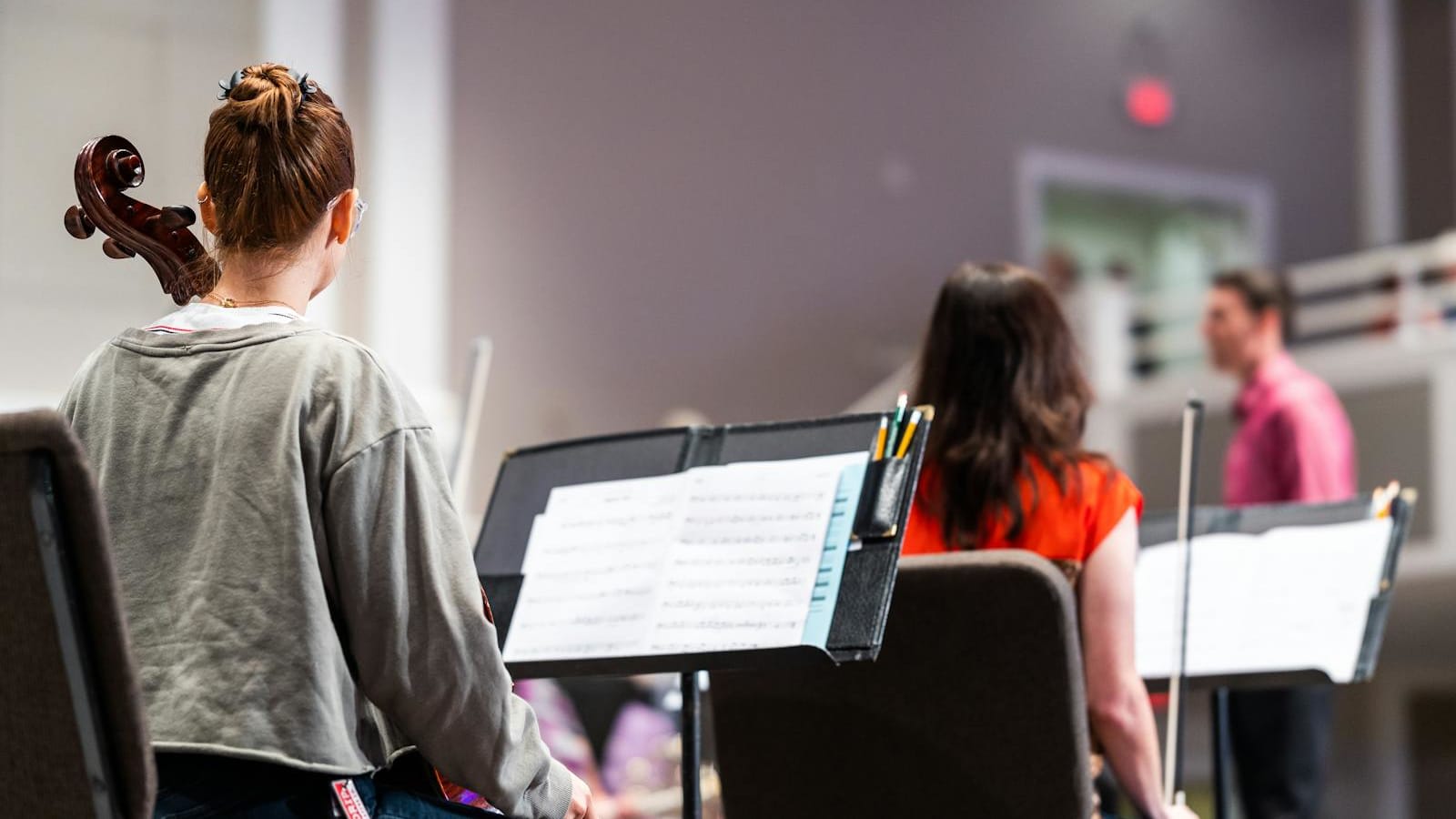
Most music repertoire software was built by pianists, for pianists, on iPads. That is fine if you play piano. It is a problem if you are a singer managing forty arias in four languages, a violinist tracking three concertos and a year of etudes, or a band director assigning charts to fifteen students who all need different parts.
This guide covers what actually works for the rest of the musical world. We already published a focused look at the piano-only side in best apps to track piano repertoire. The article you are reading is the broader version: the tools that singers, string players, winds and brass, choirs, and teachers reach for when they need to keep their library organized, current, and ready to perform.
Repertoire is not the same problem on every instrument
The shape of a repertoire problem depends on the instrument. A pianist mostly works from full scores, alone, with a long pool of polished pieces that decay slowly. A singer carries dozens of pieces across multiple languages and Fachs, tracks keys and transpositions per piece, and assembles a fresh audition pack every season. A violinist manages a long shadow of etudes (Kreutzer, Sevcik, Galamian) alongside concertos and chamber music, and changes bowings and fingerings the way pianists change pedaling. A jazz musician lives inside a Real Book ecosystem and lead sheets that move between bandmates. A teacher does not manage one library — they manage twenty-five.
That diversity is why a single answer is impossible. The honest framing is to start with the failure mode you are actually solving and then choose accordingly. The Pract.is article on what a repertoire is and how pianists build one covers the underlying status taxonomy — active, passive, aspirational — and most of that vocabulary translates to other instruments. What does not translate is the software. Most general "practice trackers" assume a piano-shaped workflow.
450k+
Newzik users worldwide
100k+
Henle Library subscribers
100k+
Choristers on ChoirMate
1,300+
Transposable charts in iGigBook
Score-reader libraries: the cross-instrument backbone
For most non-pianists, the practical center of repertoire management is the iPad score reader, because pieces live as PDFs that need to be annotated, organized, and brought up on stage. forScore is the standard. Each score carries metadata fields — title, composer, genre, tags, labels, rating, difficulty, key, duration — and the Labels feature lets a user invent their own status system. A singer can build "Audition Pack 2026," "Cold Storage," and "Wedding Set" as labels and filter the library on those three in seconds. forScore also tracks practice time per piece, supports drag-and-drop setlists, and reads on iPad, Mac, and Vision Pro from a single universal purchase. The base app is paid; forScore Pro adds advanced features from around $14.99 per year.
Newzik is the more recent rival, and the one most useful to transposing musicians. Its LiveScore feature converts PDFs into reflowable scores that can be transposed in key and clef — a real advantage for clarinettists who want a B♭ part, horn players reading transposed orchestral music, or vocalists shifting an aria down a tone. Pricing is unusually friendly for a music app: a €29.99 lifetime Essentials plan covering up to 1,000 pieces, with a €49.99-per-year Premium tier and a €199 lifetime Premium option. Real-time collaborative annotations make it strong for chamber groups working on a shared score.
Henle Library deserves a separate mention because its strength is not the reader, it is the repertoire. Henle's catalog spans piano, violin and piano, flute and piano, plus chamber and other instrumental Urtext editions, all graded levels 1 through 9. The app lets a player toggle pro fingerings and bowings as superimposed layers — Brahms violin sonatas ship with bowings from Auer, Ozim, and Schnirlin, switchable at a tap. For a serious classical string or wind player, Henle is closer to a curated repertoire planning tool than to a generic score reader.
The subscription option is nkoda, which licenses scores from Bärenreiter, Boosey & Hawkes, Breitkopf, and other major publishers — useful when your repertoire spans publishers and you would rather rent than buy. The trade-off is the usual subscription warning: cancel and you lose access. Conservatoires and orchestras often hold institutional plans, which is the most common way serious students encounter it.
Singer-specific tools: a real gap in the market
There is no widely adopted, dedicated repertoire app for classical singers. The Aria Database, the closest thing to a community reference, has had an expired SSL certificate for months at the time of writing, which says something about how thinly maintained even the most-cited resources are. Singers in practice end up cobbling together a system. The most common stack is forScore for scores, a Notion or Airtable table for the repertoire list, and a spreadsheet for audition tracking — which audition received which package, what was requested, what was performed.
For musical-theatre, worship, or singer-songwriter workflows, OnSong is the closer fit. It manages lyric and chord charts, supports setlists, AirTurn pedal control, and stage cues; it is widely used among worship leaders and band vocalists. It is not built for classical aria repertoire. Classical singers more often build their own Notion template — see the section on DIY workflows below — because no shipping product yet treats voice repertoire as a first-class entity with language, Fach, range, audition-pack tags, and key transposition tracked together.
Curtis Institute, as one reference point, asks voice applicants for three contrasting selections (an English song, an aria, and a German, Italian, or French art song). University of Washington's voice audition page describes "a memorized program consisting of art songs (Italian, German, French and English), operatic arias and/or other works." A working audition pack of five varied arias is the typical floor for graduate-level work. Tracking those five plus the larger pool they were chosen from is exactly the job an app should do — and is exactly the job that no shipping app does well.
String, wind, and brass players: borrowing tools that fit
String players have no equivalent of forScore-for-strings, which means most string workflows borrow tools. Henle Library is the strongest single product for classical string repertoire because of the layered fingerings and bowings. Modacity is heavily used to organize etudes — Kreutzer, Sevcik, Schradieck, Galamian scale rotations — into named practice playlists and to keep recordings, notes, and statistics in one place. Its testimonials specifically feature horn, trombone, clarinet, and vocal users, which underlines that the app does work cross-instrument despite an iPad-piano marketing impression.
For wind and brass players inside a band or jazz context, the gig-book apps are dominant. iGigBook pre-indexes 90+ Real Books and Fake Books, supports 1,300+ transposable jazz standards, handles D.S./D.C./Coda navigation intelligently, and shares setlists with bandmates. unrealBook is the iPad-native alternative at a one-time $14.99 with a 4.8/5 rating across 1,300+ reviews; it is reportedly used on tour with Billy Joel, which is shorthand for "works under stage pressure." Both apps lean toward setlists rather than status labels, but the underlying repertoire-as-library design works well for instrumental musicians whose pieces are charts more than scores.
Tomplay covers a different need: a play-along library with backing tracks for saxophone, flute, clarinet, oboe, bassoon, recorder, accordion, trumpet, trombone, French horn, tuba, euphonium, tenor horn, plus strings and harp. It is less a repertoire manager and more a practice library, but the My Scores section, wishlist collections, and per-score annotations let it double as a repertoire shelf for working pieces.
Photo: cottonbro studio via Pexels
Choirs and ensemble libraries
The repertoire problem inside an ensemble is genuinely different — you are not managing a personal library, you are managing a collection that has to be distributed, checked out, marked, and recovered. MusicLib is built for exactly this. It supports OCR-searchable PDFs, nested collections, physical-score checkout tracking with due dates, member reservations, role-based permissions, drag-and-drop setlist builders, and forScore import-export. Pricing scales from free for small choirs to organization tiers for larger groups; the Pro plan covers a single power user at around $5.99 per month or $59.99 per year.
ChoirMate is the most adopted singer-facing product in this category, with more than 100,000 choristers across 13 languages. It bundles digital sheet music, practice tracks, a built-in piano for ear training, attendance, member directory, messaging, and polls — the kind of toolset that a choir director actually needs in week-to-week life. Archive440 covers similar ground for bands, orchestras, and choirs, with daily, weekly, and monthly backups baked in — a small detail that matters more than it sounds when an organization has decades of arrangements in PDF form.
The ensemble tools are a useful reminder that a private practice tracker and a shared score library are not the same product. A singer in a choir may use MusicLib for the shared repertoire and forScore for their own audition pack. A clarinettist in a band may use iGigBook for the gig charts and Henle for their personal Mozart project. Layering tools is normal here, not a sign that you have not yet found the right one.
Teacher and studio tools
If you are running a teaching studio, repertoire management is part of a much larger administrative job — and the apps reflect that. MyMusicStaff wraps scheduling, billing, attendance, parent portal, payroll, expense tracking, and a website builder around the studio. It includes practice logs and repertoire tracking, and Capterra reviews land at 4.8 across more than 750 ratings. The honest caveat is that very large multi-teacher studios sometimes hit limits on its CRM and pipeline features.
Tonara Studio is the closer fit if your priority is between-lesson practice accountability. Its Compare Recording feature lets students play against a teacher's recording and receive AI feedback on fluency, pitch, rhythm, and tempo, with the assignment data flowing back into the teacher's view. Repertoire moves from a teacher's library into individual student streams without retyping. The trade-off is the inverse of MyMusicStaff: Tonara is strong on practice and weak on billing and scheduling, which is why some studios run both.
Teachworks is the third option, with a paid Repertoire Tracker add-on dedicated to the pieces students are learning and performing. The base product is a general lesson-business platform. For studios that already use it for billing, the repertoire add-on is the cheapest way to add piece-level tracking without changing systems. For studios building from scratch, MyMusicStaff or Tonara are usually faster to set up.
The DIY workflow that quietly works
A surprising number of working musicians do not use a music-specific repertoire app at all. They build a table in Notion or Airtable, list pieces as rows, and define columns that match how they actually think — composer, instrumentation, status, key, last performed, recording link, score link, audition tags, notes. Clarinettist Heather Roche's public Notion template is the most widely circulated example; it is instrument-agnostic on purpose and has been adopted across voice, strings, and winds.
The reason this workflow keeps showing up is that Notion and Airtable do something the music apps usually do not: they let you decide what a "piece" is. A singer can define a row as an aria with language, Fach, range, transposition notes, audition tag, and last recital. A violinist can define a row as a piece with movement count, bowing reference, fingering version, and audition pack. That flexibility is the trade-off — there is no audio recording, no MIDI capture, no built-in metronome — but for managing the inventory itself, it often beats a music-specific tool that decides the columns for you. The Pract.is guide on building a repertoire without forgetting everything you learned last month describes the maintenance discipline that any inventory needs, whatever lives on top of it.
A decision tree for choosing
The cleanest way to pick is to start from the musician you actually are, not the feature list. The flowchart below maps the dominant failure modes to the tools that solve them most directly.
Choose by use case
Frequently asked questions
Is there a single best app that works for every instrument?
No, and being skeptical of any app that claims to is healthy. forScore comes closest as a universal score reader, but repertoire status, audition tracking, and ensemble logistics still vary too much by instrument and context for one app to dominate. Pairing two tools — usually a score reader plus a status board — is the realistic answer.
Why is the singer-specific software so weak?
Singers are a smaller commercial target than the broader instrumentalist market, and their data model is unusually complex — language, Fach, key, transposition, language coach notes, and audition-pack tags do not fit neatly into a generic piece object. Most singers end up building their own Notion or Airtable table on top of forScore for the scores themselves.
Does Modacity work for non-pianists?
Yes. Public testimonials feature horn, trombone, clarinet, guitar, and vocal users. Its playlists, recordings, and statistics translate to any instrument that practices repertoire and etudes. The marketing leans piano-ish, but the underlying model is instrument-agnostic.
What about Android users?
Most serious score readers are iPad-first. forScore and unrealBook are Apple-only. Newzik is Apple-centric. Henle Library, ChoirMate, Tomplay, Tonara, and MyMusicStaff have Android builds. If you are committed to Android, your stack will skew toward Henle for scores and Tonara for studios; for note-keeping, Notion or Airtable cover the rest.
Should a teacher use the same app as their students?
Only if the app is designed for that. Tonara Studio is built for the teacher-student handoff and works on both sides; the assignment becomes a piece in the student's repertoire automatically. MyMusicStaff handles teacher-side tracking but expects students to keep their own log elsewhere. Mismatched tools across the lesson boundary tend to create double bookkeeping and missed work.
What the right setup actually looks like
For most non-pianists, the right answer is two tools, not one. A score reader holds the music — forScore, Newzik, or Henle, depending on platform and repertoire. A second layer holds the status — Modacity for practice-trackable items, a Notion table for the full repertoire inventory, or an ensemble or studio tool when the scale demands it. The mistake is to expect a single product to be everything: score storage, practice tracker, performance setlist, ensemble librarian, audition manager, and teacher assignment system. None of them are. The best practitioners pick two complementary tools and update them weekly.
The deeper question is the one a tool cannot answer. Repertoire management only matters if the underlying habit is real — if pieces are touched, refreshed, recorded, and tested on some realistic cycle. The Pract.is guide on keeping a piece alive after you've learned it covers that side; software can surface the decay but cannot do the practice. Pick the tools that fit your instrument, write your pieces into them, and start updating.
A repertoire that fits on a single screen is easier to defend than one buried in a closet of folders. The right app, today, is the one that lets you see all your pieces at once and decide which one deserves tomorrow's first ten minutes.


