
MuseFlow vs Piano Marvel: Which Gives Better Practice Feedback?
MuseFlow and Piano Marvel both promise better piano feedback, but they measure different things: adaptive flow practice versus structured assessment.
Pract.is Editorial
Research-based practice guidance for musicians from the Pract.is editorial team.

Piano Marvel gives better assessment feedback; MuseFlow gives better flow feedback. That distinction is the whole comparison. Piano Marvel is stronger when the learner wants scores, SASR sight-reading levels, structured reports, and a practice system that evaluates a finished attempt. MuseFlow is stronger when the learner wants continuous fresh reading material, adaptive sequencing, and feedback that keeps the session moving.
The question is not which app has "AI" or which app looks newer. The useful question is what kind of feedback changes your next repetition. Some learners need a measured score and a clear benchmark. Others need the app to keep them inside a readable challenge zone without stopping the session every few bars.
Fast verdict
Choose MuseFlow
if feedback should adjust the next exercise and keep you reading continuously.
Choose Piano Marvel
if feedback should produce scores, reports, SASR levels, and measurable practice benchmarks.
The two apps define feedback differently
MuseFlow's official site describes a sight-reading-first piano app with continuous new music, instant feedback, interactive tutorials, a step-by-step curriculum, and a song library that reinforces learned skills. It says the platform is available on web and iPad, with Android coming soon, and presents the system around flow state: fresh exercises that train the same micro-skill without stopping or repeating. Its FAQ is also specific about setup: during sign-up, learners connect a MIDI keyboard, and MuseFlow uses MIDI information to know whether the right key was played, whether it was played at the right time, and whether it was held long enough.
Piano Marvel defines feedback in a more traditional assessment language. Its current Google Play listing mentions over 28,000 songs, 1,200 lessons across 18 levels, custom music upload, tempo and measure selection, sight-reading exercises and tests, step-by-step learning paths, and instant assessment with MIDI. Its pricing page lists a free plan with performance feedback and scoring, lesson exercises, video lessons, and 3 SASR tests, while Premium expands to unlimited SASR tests and a much larger song and lesson library. That is a different feedback philosophy. Piano Marvel wants to evaluate the attempt and place the learner inside a measurable framework.
Both approaches are useful. A score tells the learner whether a performance met the target. Adaptive flow tells the learner what to read next before motivation collapses. The best choice depends on the practice problem. A learner who needs accountability may trust Piano Marvel more. A learner who stalls because traditional exercises feel dry may practice longer in MuseFlow.
For context, the standalone MuseFlow review looks more closely at the limits of its AI feedback language, while the Piano Marvel review covers its subscription value. This post is narrower: feedback quality, not general app preference.
| Feedback type | MuseFlow | Piano Marvel | Better fit |
|---|---|---|---|
| During-practice adaptation | Core promise | Less central | MuseFlow |
| Formal scoring | Real-time correction focus | Performance scoring and reports | Piano Marvel |
| Sight-reading measurement | Continuous sight-reading practice | SASR levels and tests | Piano Marvel |
| Practice motivation | Flow-state, never-repeating material | Scores, challenges, progress tracking | Depends on learner |
| Technical diagnosis | Note, timing, and duration lane | Note and timing assessment lane | Neither fully |
MuseFlow feedback is better when the problem is stopping
MuseFlow's most interesting idea is not that it uses AI. It is that the app tries to remove the dead zone between repetitions. Traditional sight-reading practice often fails because the learner reads something once, makes mistakes, feels discouraged, and then either repeats it until it is no longer sight-reading or quits. MuseFlow tries to keep the learner inside a stream of fresh, level-matched material. That is a real pedagogical angle.
The feedback is strongest when it changes the next task. If MuseFlow sees that a learner hesitates around a certain interval, rhythm, or chord shape, the value is not just marking the mistake. The value is feeding the learner more material that keeps that micro-skill active without turning practice into a worksheet. MuseFlow's own Piano Marvel alternative article says the app emphasizes quality over quantity, mental engagement over repetition and grind, and an ongoing feedback loop rather than evaluation after playing. That is self-promotional language, but it describes the product's actual point of difference.
This makes MuseFlow especially interesting for adults who know they need reading practice but hate traditional drills. A learner can intellectually agree that sight-reading matters and still avoid it because every attempt feels like a test. MuseFlow lowers that emotional cost by turning reading into a continuous game-like state. For some adults, that will produce more useful minutes than a more formal assessment tool.
The limitation is that flow feedback can feel less concrete. If the learner wants a clean external benchmark, MuseFlow may feel too soft or too internally defined. A session can feel good without proving much about broader reading level. That does not make the app weak, but it means the learner should occasionally test outside the flow environment with printed music, a fixed score, or a teacher.
Piano Marvel feedback is better when the problem is measurement
Piano Marvel's best feedback feature is SASR, the Standard Assessment of Sight-Reading. Piano Marvel describes SASR as thousands of sight-reading excerpts divided into 90 levels, with scores from 100 to 1900 and level steps represented by 100-point increases. That gives learners a concrete way to measure reading ability over time. For adults who suspect they are improving but cannot tell, this kind of benchmark matters.
Piano Marvel also has the advantage of being less mysterious. It does not need to sell the learner on a new philosophy of flow state. The app gives exercises, songs, scores, reports, and sight-reading tests. The learner can see whether the score improves. Teachers can assign material and review progress. Studios and schools can understand the platform quickly because it resembles a structured practice and assessment system.
This makes Piano Marvel a better fit for learners who already practice but need sharper accountability. A person working through a teacher's assignments, method material, or uploaded scores can use Piano Marvel to add feedback and measurement to work that might otherwise be hard to track. The app also suits adults who like targets. A score can become a useful constraint if it pushes better timing, cleaner reading, and more focused repetition.
The risk is that measurement can become the wrong goal. A high score is not the same as beautiful playing. Apps can miss tone quality, phrasing, hand shape, physical ease, pedaling nuance, and musical intention. Piano Marvel gives stronger assessment feedback than MuseFlow in the formal sense, but it still sees only part of piano playing.
Adaptive feedback context
MuseFlow
Check the current web/iPad availability, MIDI setup, sight-reading trainer, and App Store listing.
Assessment context
Piano Marvel
Check the current SASR details, free plan, Premium features, and scoring tools before subscribing.
MIDI makes both apps more serious and less casual
Both apps become more meaningful when the learner uses MIDI rather than relying on a microphone. MIDI data can tell the software exactly which key was pressed and when. Depending on the setup and app, it can also give useful information about duration and velocity. That is far cleaner than a microphone trying to interpret acoustic sound in a room with background noise, speakers, pedal blur, and imperfect device placement.
MuseFlow's FAQ is explicit that the current setup requires a MIDI-compatible keyboard. That raises the barrier for casual beginners, but it also makes the feedback claim more credible. Piano Marvel also leans heavily on MIDI assessment, especially for scoring and structured practice. In both cases, the best results are likely to come from a digital piano or keyboard connected by USB or another reliable MIDI path.
The tradeoff is friction. A learner with an acoustic piano may find MuseFlow's current setup less convenient than a mic-based beginner app. A learner with a digital piano and a laptop or iPad may find the setup acceptable. This is where "better feedback" and "easier app" separate. Better data often requires more setup.
Adults should not ignore this. The best app on paper is useless if the setup makes practice feel annoying. Before paying, test the connection, latency, device placement, and whether the app recognizes notes reliably. If connection friction consumes the first ten minutes of every session, the product is not solving the right problem.
The weak point is still musical judgment
Neither MuseFlow nor Piano Marvel can fully judge musicianship. This matters because app feedback can become psychologically powerful. If the app says the take was correct, the learner may stop listening critically. But correct notes and decent timing are only a slice of piano playing. Tone, arm weight, hand shape, physical ease, pedaling, voicing, phrase direction, and expressive timing still need human ears and body awareness.
MuseFlow may reduce one common weakness by keeping the learner reading new material rather than over-memorizing. Piano Marvel may reduce another by giving the learner formal scores and benchmarks. Both are useful. Neither knows whether the learner is playing with unnecessary tension or whether the sound is musical. That is why app feedback should be treated as diagnostic data, not final authority.
The healthiest use is to pair app feedback with off-app testing. Once per week, play something from a static score, record one take, and listen without looking at the app. Ask whether the rhythm breathes, whether the melody can be heard, whether the hands feel easy, and whether the piece survives without the feedback system. If the app score is high but the recording sounds stiff, the next practice target is not more app points.
This is also where a broader practice record helps. Apps store their own scores, but they do not always capture the reason behind a mistake. A one-line note after practice can identify the actual pattern: rushed eighth notes, left-hand hesitation, weak bass reading, collapsing wrist, or attention drop. The guide to using a practice log without turning it into homework explains a lightweight way to do that.

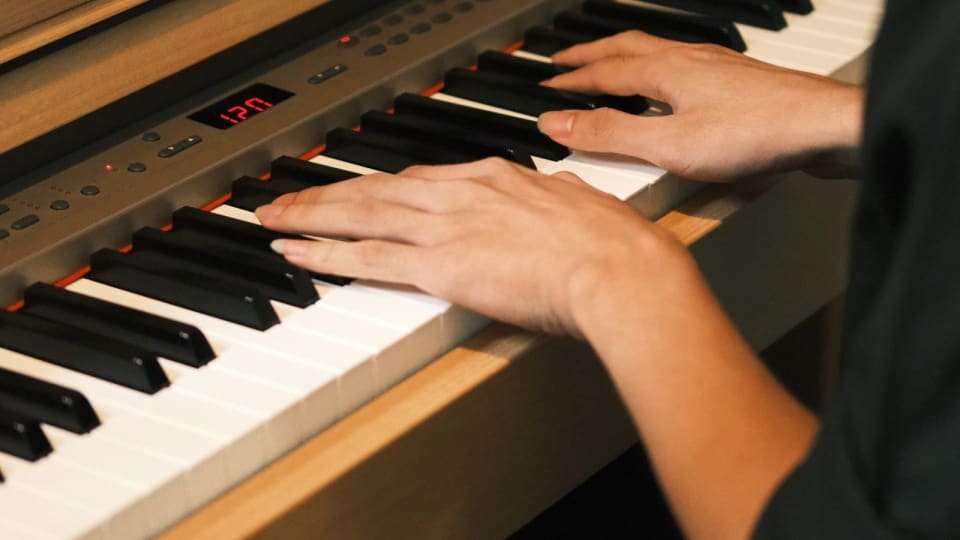
Photo: Alina Matveycheva via Pexels
The better feedback by learner type
MuseFlow is the better choice for learners who avoid sight-reading because it feels too exposed. Its continuous practice model can make reading feel less like a pass/fail event and more like a state the learner enters. It is also promising for adults who like adaptive systems and want the app to keep the challenge fresh. The risk is that the feedback can feel less benchmarked unless the learner adds occasional outside tests.
Piano Marvel is the better choice for learners who want measurable reading progress, teacher-compatible reports, and a more formal practice structure. Its SASR system gives it a serious edge for benchmarked sight-reading assessment. It also makes more sense for adults who already accept that practice can feel like work. The risk is that the learner may chase scores instead of musical control.
A learner comparing these two apps against song-learning tools should read Piano Marvel vs Flowkey, because Flowkey solves a different motivation problem. MuseFlow and Piano Marvel are closer to each other because both care about reading and feedback. The dividing line is continuous adaptation versus formal assessment.
Feedback loop
Which feedback changes your next rep?
Need flow?
Use adaptive reading.
Need scores?
Use SASR and reports.
Need technique?
Add human feedback.
Need transfer?
Record off-app takes.
The practical verdict is that MuseFlow gives better feedback for keeping sight-reading practice alive in the moment. Piano Marvel gives better feedback for measuring progress over time. The more serious answer is to use whichever feedback type makes the next repetition clearer, then verify the result away from the app.
More on apps.

How We Test Music Apps: Our Review Methodology
A review is only as trustworthy as the process behind it. This is exactly how the Pract.is editorial team tests, scores, and keeps its music-app reviews honest — the method behind every verdict, in full.
Pract.is Editorial

Is a Piano Learning App Enough? The Evaluation Framework
"Is a piano app enough?" has no universal answer, because it's the wrong question. The right one is "enough for what?" — and it has a systematic answer. The framework for deciding when an app suffices and when it doesn't.
Pract.is Editorial
Skoove vs. Flowkey vs. a Real Teacher: The Adult Learner's Decision
Search "best online piano lessons for adults" and you get a wall of apps — but the real decision is between three genuinely different things: a guided course app, a song-first app, and a human teacher. Which job are you actually buying?
Pract.is Editorial