Updated July 2026 — added AI reception & scheduling tools, refreshed the practice-tracking picks, and re-checked every product.
The best AI tool for a music teacher is usually the one that removes ten minutes of repeat admin after every lesson. Not the flashiest chatbot. Not the most dramatic promise about replacing teachers. The useful tools are the boring ones: they remember what happened, turn messy notes into clear assignments, generate usable sight-reading, summarize student progress, and make the next lesson easier to prepare.
That is the standard for this guide. If a tool only produces generic lesson-plan prose, it has to be judged harshly. Music teachers do not mainly need prettier paragraphs. They need better continuity between lessons, better student follow-through, and less unpaid work around the actual teaching hour.
Best first buy
Lesson-note automation
It attacks the weekly friction teachers actually feel: remembering details, writing notes, and sending clear practice instructions.
Best for schools
Google Gemini or ChatGPT for Teachers
Useful for rubrics, communication, handouts, and differentiated materials when the teacher still edits the result.
Best caution
Do not pay for vague AI
If the product cannot name the task it saves, it probably becomes another subscription the teacher has to manage.
Start with the jobs AI can actually do well
The cleanest way to evaluate AI for music teaching is by workflow, not by category hype. A good teacher's hardest work is still musical judgment: choosing repertoire, hearing causes behind mistakes, explaining technique, reading confidence, and deciding when to push or simplify. AI is not reliable enough to take over those decisions. But it can handle the surrounding work that often eats the teacher's evening.
For private teachers, the most obvious pain points are lesson notes, parent updates, practice reminders, student history, and between-lesson accountability. For school music teachers, the pain points shift toward differentiated materials, rubrics, quizzes, substitute plans, ensemble handouts, and communication. For online and hybrid teachers, the issue is usually continuity: students need a clear record of what happened, what to upload, and what to do before the next meeting.
That is why the strongest AI tools in 2026 are not necessarily the ones with the biggest models. They are the ones attached to a specific teaching workflow. A general chatbot can write a decent paragraph about teaching staccato. A better tool records what happened in Anna's lesson, turns the teacher's spoken correction into a clean assignment, reminds Anna what to practice, and gives the teacher a useful starting point next week.
This also explains why teachers should be skeptical of tools that promise full automation. The problem with low practice is rarely that the teacher failed to generate enough words. It is usually that the assignment was unclear, too large, poorly matched, or not remembered by the student. That connects directly to what to do when a student will not practice between lessons: better software helps only when it improves the student's actual week.
| Teaching job | AI is useful when it... | Be careful when it... | Tools to check |
|---|---|---|---|
| Lesson notes | Turns spoken notes into clear practice instructions | Creates polished notes that do not match the lesson | LessonMemo, Arco, ForteAi |
| Practice tracking | Shows patterns between lessons and assignment follow-through | Only rewards streaks or raw minutes | Tonara, TempoTracker, Octero |
| Sight-reading | Generates level-true exercises with clean notation and feedback | Produces random music that is awkward or badly scoped | ClefMind, InplayStream, Play 'n' Practice |
| School planning | Drafts rubrics, quizzes, vocabulary, and differentiated materials | Replaces the teacher's sequencing or curricular judgment | Gemini in Classroom, ChatGPT for Teachers |
| Studio admin | Reduces emails, summaries, scheduling friction, and parent updates | Adds a second dashboard without replacing anything | Arco, LessonMemo, Adagio, MusicLMS |
Best for lesson notes: LessonMemo and Arco
LessonMemo is one of the clearest examples of useful AI because the job is narrow. It lets teachers record quick voice snippets during or after a lesson, then turns those recordings into structured practice notes. Its own workflow is simple: record snippets, let AI summarize them, then email the result to the student or parent. The pricing page also makes the use case practical for small studios, with a free tier for up to three students and paid plans that scale by roster size.
That matters because lesson notes are a classic hidden cost. A teacher can lose five to ten minutes per student turning a scattered lesson into something readable. If LessonMemo saves even half of that, it is more useful than a broad AI lesson planner that creates another document to edit. The limitation is also clear: the quality depends on what the teacher records and reviews. It should make the teacher's thinking easier to send home, not invent the teacher's thinking after the fact.
Arco is the more ambitious version of the same idea. It records or imports lessons, creates transcriptions and summaries, and builds a searchable lesson library. Its official site is explicit that it is built for music lessons rather than generic transcription, with examples like remembering specific bow-hold advice, comparing student progress over months, and generating plans from lesson history. For teachers with serious students, rotating repertoire, audition prep, or parent communication needs, that archive layer is the point.
The tradeoff is complexity. LessonMemo looks better for teachers who simply want notes sent home quickly. Arco looks better for teachers who want a long-term memory system around their studio. A beginner teacher with eight students may not need a full searchable archive yet. A teacher with 40 students, chamber coaching, audition repertoire, and parents asking for progress updates might.
Quick verdict
Use LessonMemo if...
You want fast, clean practice notes after lessons and do not need a deep research-style lesson archive.
Use Arco if...
You want lessons to become searchable student history, not just one weekly email.
Skip both if...
Your studio already has a simple assignment system that students actually read and follow.
Best for school music teachers: Gemini in Classroom or ChatGPT for Teachers
For K-12 teachers, the strongest general AI options are not music-specific apps. They are the tools already entering school systems. Gemini in Google Classroom includes educator tools for lesson plans, quizzes, vocabulary lists, rubrics, differentiated text, reading-comprehension questions, project ideas, translations, and choice boards. Google also says Gemini in Classroom is available with all Google Workspace for Education editions, with education privacy and security framing around Workspace accounts.
ChatGPT for Teachers is the other serious option for U.S. K-12 educators. OpenAI's help center says it is a secure, self-serve version of ChatGPT for verified U.S. K-12 educators and is free through June 2027. The official product announcement says it includes tools such as messages with GPT-5.1 Auto, search, file uploads, connectors, and image generation inside a workspace designed for classroom materials and student information, with teacher content not used for model training by default.
For music teachers, the best use is not "write me a band lesson." That is too vague. The better uses are smaller: turn a rehearsal objective into three differentiated rhythm-reading tasks, draft a parent email about practice expectations, create a rubric for tone quality and ensemble awareness, make a substitute-plan version of tomorrow's rehearsal, or rewrite a theory explanation for different reading levels. In those tasks, the teacher still controls the musical judgment, but the tool can remove blank-page friction.
The caution is privacy and policy. School teachers should use the version their institution permits, especially if student work, accommodations, recordings, or identifiable details are involved. A personal chatbot account may be fine for generic examples, but it is the wrong place for sensitive student context. If a teacher needs a broader view of how AI affects teaching work, this fits with the current demand for music teachers: AI changes some prep work, but it does not remove the need for a teacher who can make musical decisions.
Best for sight-reading and generated exercises: ClefMind and InplayStream
Sight-reading is a strong fit for software because the teacher often needs endless small variations, not one perfect worksheet. ClefMind describes itself as an AI-supported sight-reading trainer that generates level-true exercises by instrument, key, and time signature. It also emphasizes practical details teachers should care about: instrument-smart ranges and clefs, clean SVG sheets, MIDI export, deterministic checks for rhythm and bar math, and feedback summaries on timing, hesitations, and errors.
That last phrase is important. Generated sight-reading is only useful if the notation is playable and the level is controlled. Random notes in a staff are not pedagogy. A good exercise generator should let a teacher decide the constraint: one key, one rhythm pattern, one clef, one register, one reading skill. That makes it useful for the same reason isolation practice works: the student gets a clean target instead of an overwhelming page. It pairs naturally with practicing sight-reading as a real skill.
InplayStream is broader. Its official page describes an online music education platform with live MIDI keyboard display, AI note and chord verification, rhythm feedback, a practice room, score annotation, media library, whiteboard, and an AI lesson assistant for weekly plans and targeted exercises. That is more than a sight-reading generator. It is closer to a hybrid lesson environment for piano-heavy studios, schools, or programs that need remote teaching infrastructure.
The decision is mostly about scope. ClefMind makes sense when the teacher wants targeted reading material without building every example by hand. InplayStream makes sense when the teacher needs the whole online lesson system: video, MIDI, notes, assignments, score annotation, practice stats, and AI support in one place. For a small private studio that mostly teaches in person, InplayStream may be too much. For a school, online program, or hybrid piano studio, the integrated setup could be the whole reason to consider it.

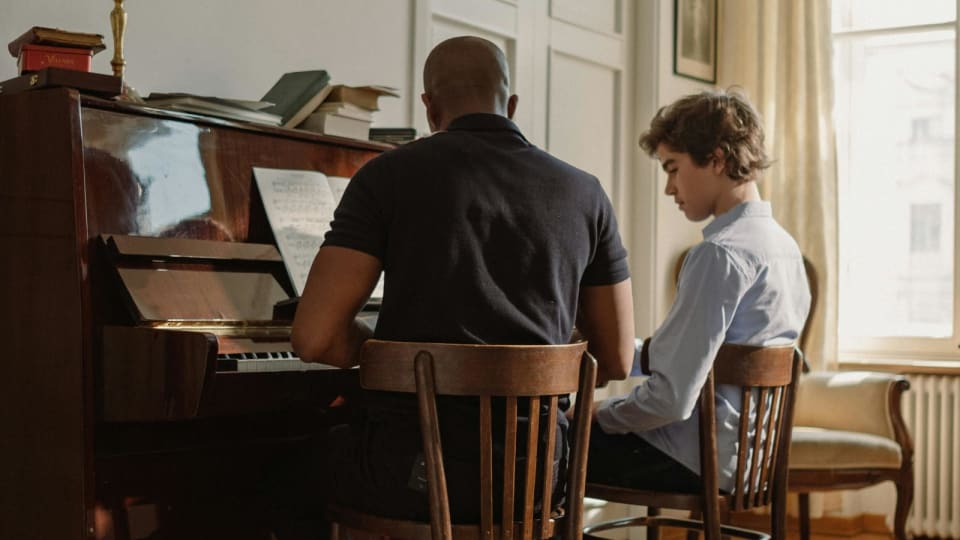
Photo: Kampus Production via Pexels
Best for between-lesson accountability: Tonara, TempoTracker, and Octero
Practice tracking is where teachers should be especially careful. A tool can make practice look more organized without making it better. The useful version answers a concrete question: what happened between lessons that the teacher could not see? If the tool only counts minutes, it may simply reward time at the instrument. If it tracks assignments, recordings, tempo, comments, and patterns, it can help the teacher adjust next week's plan.
In the interest of full transparency: Practis is our own tool, so weigh this on the same terms as everything else here. It is built around exactly that question — it turns each student's week into clear logs, notes, repertoire progress, and weekly patterns, so a teacher walks into the next lesson with context instead of guesswork, and it deliberately does not gamify raw minutes. Like every option below, it earns its place only if it shows you something a notebook wouldn't; the point of practice visibility is a better next lesson, not a busier dashboard.
Tonara is one of the better-known teacher-student practice platforms. Its official site says teachers can create smart assignments with recordings, videos, voice notes, and written notes; track weekly, monthly, and yearly progress; and use one-on-one or group messaging. It also says the app listens as students play and gives personal real-time feedback. The strength is not that it replaces listening in a lesson. The strength is that it gives the teacher more evidence before the next lesson starts.
TempoTracker is more explicitly AI-branded. Its site describes AI-powered practice tracking, teacher connections, assignment tools, advanced analytics, smart scheduling, and adaptive goal setting. That sounds useful, but teachers should test whether the "AI insights" are specific enough to change instruction. If the dashboard only says a student practiced less this week, that is not much. If it shows which exercise stalled, which tempo plateaued, and where the student's work became inconsistent, then it is doing something a notebook cannot.
Octero is lighter in positioning. It emphasizes automatic tracking, accountability, progress, and teacher visibility. That can be enough. Many studios do not need a huge analytics system. They need a student to remember the assignment, press start, and give the teacher some honest signal about consistency. For teachers thinking through what to track, the deeper principle is the same as in using a practice log without turning it into homework: the log should reveal patterns, not become a second assignment that students resent.
AI tool decision map
Need notes?
Try LessonMemo or Arco.
Need exercises?
Try ClefMind first.
Need tracking?
Compare Tonara, TempoTracker, or Octero.
Need school prep?
Use Gemini or ChatGPT inside approved accounts.
Buy only when the saved task is obvious.
The best tool has a weekly job: notes, assignments, exercises, tracking, or communication. If the job is vague, wait.
Best for the front desk: AI receptionists and scheduling
The newest category to mature in 2026 is the AI receptionist: a voice or chat agent that answers inquiries around the clock, books trial lessons, reschedules, and qualifies leads before they reach you. For a studio, the pain it targets is real and expensive — a missed call on a weekday evening is often a missed student, because the parent simply calls the next teacher on the list. Tools such as AgentZap, SchedulingKit, Smith.ai, Upfirst, and My AI Front Desk pitch exactly this, and several integrate with the studio systems teachers already run — My Music Staff, Fons, and Music Teacher's Helper — so a booked trial actually lands on your calendar.
The honest test is inbound volume. If enquiries arrive by phone and email faster than you can answer them, and you lose evenings to scheduling ping-pong, a receptionist that answers 24/7, explains your private-versus-group pricing, and books a trial while you teach can pay for itself in a single retained student. If you are a small private teacher with a full roster and a waitlist, it is the wrong first purchase — you have no lead-capture problem to solve, and a warm personal reply is part of what parents are choosing. There is also a tone risk worth naming: for a boutique studio, the first contact is the brand, and outsourcing it to a bot can cost more goodwill than it saves in minutes.
AI receptionist — worth it when
Buy it if...
You run a multi-teacher studio or school, miss calls during teaching hours, and lose leads to slow replies.
Skip it if...
You teach solo with a full roster or waitlist — you have no lead-capture gap, and a personal reply is the point.
Test first for...
Whether it books straight into your existing system, and whether its voice sounds like your studio, not a call centre.
Which AI tools are not worth it for most music teachers?
The weakest category is the generic AI lesson planner sold as a universal fix. Tools like Teacher Buddy, Radius, MyLesson.ai, and similar classroom planners can be useful for school teachers who need standards-aligned drafts, rubrics, worksheets, substitute plans, or differentiated reading material. But they are not automatically strong music-teaching tools. Most do not understand a student's tone production, hand position, bow distribution, breath management, rhythmic instability, or repertoire history unless the teacher supplies that context carefully.
The second weak category is AI feedback that cannot show its sensing layer. If a tool claims to analyze playing, ask what it actually receives: MIDI, microphone audio, video, notation, teacher notes, or only text. MIDI can judge notes, timing, duration, and velocity on compatible instruments. Microphone audio can catch some pitch and rhythm problems but struggles with room noise, polyphony, tone quality, and cause. A chatbot with no performance data is not analyzing playing at all. It is responding to the description you typed.
The third weak category is AI admin that sits on top of existing admin without replacing any of it. A music teacher already has a calendar, billing tool, messaging thread, notes app, score library, and practice tracker. Another dashboard is useful only if it removes one of those jobs. If it simply asks the teacher to enter the same information twice, the AI feature is decoration.
There is also a category that is useful but not urgent: AI music generation. For composition prompts, backing tracks, ear-training examples, and creative classroom projects, it can be fun. But for most private teachers, it should not be the first subscription. Better lesson notes, clearer practice assignments, and better tracking will usually save more time than generating more material. The problem in most studios is not a shortage of content. It is a shortage of follow-through.
A practical buying order for 2026
If a teacher is spending money, the first purchase should solve the most repetitive unpaid task. For many private teachers, that means lesson notes. LessonMemo is the lighter option; Arco is the deeper archive option. If students are not practicing reliably, a tracking or assignment platform comes next. Tonara, TempoTracker, Octero, MusicLMS, Adagio, and similar systems are worth comparing by student friction, not feature count.
School music teachers should usually start with the approved AI already inside their district's ecosystem. If the school runs Google Workspace, Gemini in Classroom is the practical first stop. If the school has access to ChatGPT for Teachers, that may be the better space for drafting communications, adapting materials, summarizing documents, and building teacher-approved resources. The important point is to keep student data inside the account type your institution permits.
After that, add music-specific AI only where it fills a real gap. ClefMind is worth a look if sight-reading material takes too long to make. InplayStream is worth a look if the teacher is building a serious online or hybrid setup. ForteAi, Lami, Muscribe, and newer lesson-analysis tools may become useful, but teachers should test them with a few real lessons before trusting the output. The test is simple: does the tool make next week's teaching clearer, or does it just create a cleaner-looking version of what the teacher already knew?
| Priority | Buy this kind of tool when... | Good candidates | Skip for now if... |
|---|---|---|---|
| 1 | You spend unpaid time writing lesson notes | LessonMemo, Arco | Students already get clear notes and use them |
| 2 | Students forget assignments or practice vaguely | Tonara, TempoTracker, Octero | Your issue is repertoire choice, not tracking |
| 3 | You need many controlled reading examples | ClefMind, InplayStream | You rarely teach reading or notation-based work |
| 4 | You draft school materials every week | Gemini in Classroom, ChatGPT for Teachers | Your institution has not approved the account type |
| 5 | You need scheduling, billing, and assignment infrastructure | Adagio, MusicLMS, studio platforms | The product adds AI but does not replace admin work |
The useful test is blunt: if the tool disappeared tomorrow, what weekly task would come back? If the answer is "writing notes," "making exercises," "tracking practice," or "drafting school materials," the tool may be worth paying for. If the answer is only "having something AI-ish in the studio," it is not worth it yet.