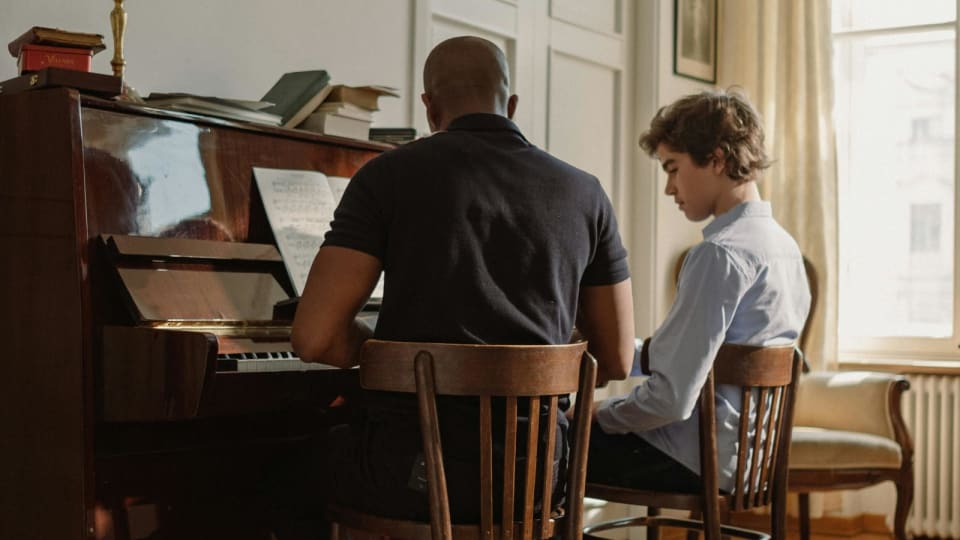
Piano teachers do not need another generic habit app. They need a way to turn the lesson into a clear week of work, then see enough evidence to make the next lesson sharper. That means assignments, repertoire status, recordings, practice notes, accountability, and reports that do not create more admin than they remove.
This is narrower than a general list of practice apps for music teachers. Piano teaching has its own problems: several pieces at once, method books, scales, sight-reading, parent oversight, recitals, memorization, repertoire maintenance, and students who "practiced" by playing from the top three times. The best app is the one that makes those piano-specific problems easier to manage.
Checked May 9, 2026: product details are based on official websites, app-store listings, and public feature pages. Pricing, ratings, and plan limits can change, so confirm before moving a full studio.
The quick shortlist
The right app depends on what is breaking between lessons. Some piano teachers need assignment clarity. Some need recordings. Some need parent visibility. Some need repertoire tracking. Some need a full studio-management system. Treat this as a decision guide, not a universal ranking.
| App | Best for piano teachers who need... | Strongest practice feature | Main tradeoff |
|---|---|---|---|
| Key Passage | Piano-specific repertoire and practice visibility | Piece assignments, per-piece tracking, status, notes, teacher dashboard | Best fit for classical/repertoire-centered teaching |
| Tonara | Assignment tracking plus motivation | Smart assignments, progress tracking, compare recordings, AI feedback | Gamification is central |
| Practice Space | Clear weekly tasks and reusable lesson media | Digital assignment book, goals, videos, logs, rewards | Playful motivation layer may not suit every adult/teen |
| Better Practice | Assignment libraries, journals, charts, and repertoire maintenance | 23,000+ pre-entered assignments, lesson planning, practice insights | Broad music focus, not only piano |
| My Music Staff | Admin plus parent/student portal | Practice logs, timer, lesson notes, file uploads, resource portal | Practice tracking is one part of a larger admin suite |
| MusicLMS | Interactive assignments and school-style tracking | Recordings, feedback, interactive MusicXML, badges, progress reports | Newer platform; test before committing a large studio |
| Pract.is | Piano practice patterns without turning the work into a game | Practice tracking, notes, repertoire context, visible patterns | Works best with honest student logging and clear teacher expectations |
Piano-specific
Key Passage
Built around repertoire, per-piece practice history, teacher assignments, and piano progress visibility.
Motivation-heavy
Tonara
Strong when students need smart assignments, reminders, recordings, points, and visible completion.
Reusable assignments
Practice Space
Best when teachers want lesson notes, videos, PDFs, goals, and practice tasks in one student-facing flow.
What piano teachers need that generic practice apps miss
Piano teaching is not just "practice more." A weekly assignment might include a method-book page, a repertoire piece, sight-reading, scales, blocked chords, a recital piece, and a small listening task. Those items do not all need the same kind of tracking. A scale needs tempo and accuracy. A repertoire piece needs section notes and status. A recital piece needs readiness under pressure. A sight-reading task needs frequency, not perfection.
Research on at-home piano practice supports this distinction. Pamela Pike's 2017 study of teenaged pianists found that intermediate students practiced under less-than-ideal circumstances, had limited attention spans, and often did not self-regulate strongly without support. Some students mostly played through repertoire, while a smaller group used more deliberate strategies. That is exactly the problem a good piano-teacher app should address: it should help the student know what kind of practice behavior is expected, not merely count minutes after the fact.
Directed practice tools also have a research basis. A 2025 study by Pamela Pike and Carla Salas-Ruiz compared secondary group-piano students using directed practice worksheets and logs with a control group, looking at practice attitudes, deliberate practice, and performance outcomes. The useful lesson for private teachers is not that every student needs a digital worksheet. It is that students often need the practice method made explicit. Apps can help when they make the teacher's strategy visible after the lesson ends.
The best apps for piano teachers therefore need four layers: assignment design, evidence capture, repertoire tracking, and teacher response. If an app only provides a timer, it is incomplete. If it only provides rewards, it is shallow. If it only provides admin, it may still leave practice invisible. Piano teachers need the handoff between lesson and home practice to become concrete.
Piano assignment anatomy
what to play
where to work
how to practice
log or clip
what changed
If the app cannot capture at least piece, section, method, and evidence, it may not be specific enough for piano teaching.
Best piano-specific option: Key Passage
Key Passage is the most piano-specific app in this set. Its public page positions it as a piano practice app for classical students and teachers, with practice tracking, repertoire management, a reference library, and teacher/student workflows. The teacher flow is direct: the teacher assigns a piece to the student's library with a personal note, the student practices it, and the teacher sees practice time, session count, and status.
That is valuable because piano practice is usually piece-centered. A generic practice log might tell a teacher that the student practiced thirty minutes. Key Passage is trying to show which piece received that time, what status it is in, and how it fits into repertoire. Its feature list includes session timer with per-piece tracking, practice notes, lesson notes, media links, built-in metronome, repertoire status such as learning or complete, difficulty ratings, tags, filtering, teacher dashboard, student activity feed, and piece recommendations.
The pricing is also unusually relevant to teachers. The public page currently lists a free tier with 15 pieces, a Student & Family plan at $59 per year or $5.99 per month, and a Teacher Studio plan at $89 per year or $9 per month. That is a lower teacher-studio entry point than many broader music-teacher systems. It also avoids forcing a teacher into a full billing/scheduling platform if the real problem is practice visibility.
The limitation is scope. Key Passage makes the most sense for piano teachers who teach through repertoire, method books, classical context, and piece-level tracking. If your studio needs heavy parent billing, large school administration, or broad multi-instrument management, it may not be the whole system. But if the question is specifically "how do I assign piano pieces and see what happened between lessons?", it is one of the cleanest fits.
Best for accountability and motivation: Tonara, Practice Space, and Better Practice
Tonara is the strongest established choice when a piano teacher wants assignments, student motivation, and practice tracking in one platform. Its teacher pages describe smart assignments with compare recordings, videos, voice notes, and written notes; weekly, monthly, and yearly progress tracking; one-on-one and group messaging; media storage; repertoire; scheduling; and rewards such as points, stickers, and leaderboards. Tonara also promotes Compare Recording, where the teacher uploads a reference and the platform grades student playing on pitch, rhythm, tempo, and fluency.
For piano teachers, that is most useful when the student needs concrete weekly accountability. A teacher can assign a passage, attach a reference, ask for a recording, and see completion before the next lesson. The risk is that gamification becomes the main event. Points and leaderboards can help younger students, but they can also encourage completion without reflection. Tonara is best for teachers who want a lively between-lesson environment and are comfortable shaping the reward layer carefully.
Practice Space is another strong fit for private piano studios. Its official site emphasizes a digital assignment book, demonstration videos, links, PDFs, practice goals, practice logs, badges, gems, avatars, and student motivation. The App Store and Google Play descriptions point to weekly practice goals with videos and notes for each piece, technique item, or theory item. That structure maps naturally to piano teaching because a single lesson often produces several small assignment lanes.
Better Practice sits in the same assignment-and-tracking category but emphasizes lesson planning, advanced charts, journals, chat, rewards, and repertoire maintenance. Its features page mentions more than 23,000 pre-entered assignments from popular method books, custom assignments, a smart assignment guide, and parent visibility. That method-book angle is especially useful for piano teachers who repeat similar early assignments across many students and want to stop rewriting the same instructions every week.
| Teacher need | Tonara | Practice Space | Better Practice |
|---|---|---|---|
| Reference recordings | Strong, including compare recordings | Strong for demo videos/media | Useful through assignments and resources |
| Student motivation | Points, stickers, leaderboards | Gems, avatars, awards, streaks | Rewards and social competition |
| Method-book style assignments | Flexible, but not the main headline | Reusable teaching points and lessons | Strong pre-entered assignment library |
| Practice insight | Progress tracking and AI feedback | Logs and task completion | Charts, journals, and practice habits |
Best if your studio also needs admin: My Music Staff and MusicLMS
My Music Staff is not a piano-practice specialist, but it becomes practical when the teacher already needs scheduling, payments, lesson notes, parent communication, attendance, and a student portal. Its student portal lets students see upcoming lessons, view lesson notes, access repertoire and resources, record practice time, use a built-in timer, make notes, leave questions, and upload files such as practice videos. For parents, having practice logs in the same system as lesson notes and scheduling can reduce scattered communication.
The tradeoff is depth. My Music Staff can make practice visible, but it is not mainly a piano assignment engine. If a teacher wants detailed repertoire status, method-book assignment templates, or AI comparison feedback, another app may fit better. If the teacher's bigger problem is studio operations and parent flow, My Music Staff may be the more realistic choice because adoption improves when everything lives in one portal.
MusicLMS is a newer platform worth watching because it is explicitly about teaching workflows, assignments, recordings, and feedback. Its site describes student management, assigned practice, collected recordings, feedback, Google Drive integration, file sharing, practice tracking, badge systems, group lessons, and progress reports. It also highlights interactive sheet music using MusicXML with playback controls, looping sections, tempo adjustment, and measure-by-measure navigation.
For piano teachers, the MusicXML and looping angle is interesting. A platform that can assign a piece, show interactive notation, collect a recording, and report practice could become more than a practice log. The caution is maturity. Newer platforms need testing with real students before a teacher trusts them with a full studio. Use a small pilot first and watch whether students actually submit better evidence or whether the app becomes another login to manage.
Best for recordings and student-owned logs: Cadence, Modacity, and Pract.is
Cadence is a newer App Store-listed music practice app focused on recordings and timestamped feedback. Its listing says students can track practice, record sessions, share recordings with teachers, add documents and images of music, and receive timestamped feedback. Teachers can review student recordings in one place and leave detailed notes linked to moments in the recording. That solves one of the most practical piano-teaching problems: the teacher hears what happened at home instead of reconstructing the week from memory.
Modacity is stronger as a student-owned serious practice journal than as a teacher dashboard. It combines timer, recorder, metronome, tuner, tone generator, notes, practice playlists, reminders, statistics, and recording comparison. For piano teachers with older students, advanced students, or adults, that may be exactly right. The student owns the practice process and brings evidence back to the lesson.
Pract.is also belongs here with disclosure: it is our product. It is not trying to replace the teacher or turn practice into a game. The value is practice visibility: what pieces are being worked on, how often, where effort is going, and what patterns are forming over time. That makes it a strong companion for piano teachers who want students to develop self-awareness rather than simply complete assigned tasks.
This student-owned category is best for teachers who do not want to manage every minute of the student's week. It works when the teacher gives clear assignments and asks for useful evidence: a practice note, a tempo, a section status, or a short recording. It is less useful for young students who need parent-managed reminders and external structure. For those students, Practice Space, Tonara, or Better Practice may be a better fit.

Photo: cottonbro studio via Pexels
How to choose the right app for your piano studio
Start with the failure point. If students forget what to practice, choose an assignment-centered app. If they practice but do not improve, choose an app that captures recordings, notes, sections, and strategy. If parents constantly ask what happened in lessons, choose a portal. If students juggle several pieces and lose track of repertoire, choose a piano-specific tracker. If students are unmotivated children, a reward layer may help. If students are adults, it may annoy them.
Piano teacher app decision tree
Main problem: students do not know what to do
Choose Practice Space, Better Practice, or Tonara for clearer weekly assignments and media.
Main problem: repertoire disappears
Choose Key Passage or Pract.is for piece-level tracking and practice history.
Main problem: you need evidence
Choose Cadence, Tonara, MusicLMS, or Modacity for recordings, feedback, and practice records.
Main problem: parents and admin are scattered
Choose My Music Staff if practice tracking should sit inside the broader studio system.
Do not roll out any app to the whole studio immediately. Test it with one young student, one teen, one adult, and one parent-heavy family if your studio has them. Give the trial four weeks. Compare the next lesson before and after: did the student arrive with clearer work done, better questions, better recordings, or a more honest practice record? If not, the app is adding structure without improving teaching.
For students who simply will not practice, software is only part of the answer. The deeper diagnostic framework is in what to do when your student will not practice between lessons. For teachers who want a lighter approach, the guide to using a practice log without turning it into homework is the better companion. A piano-teacher app should make practice more specific, not more bureaucratic.
The best app is the one that makes the next lesson start with better information.