The best practice app for a music teacher is the one that makes the next lesson less mysterious. It should answer the questions teachers usually have to guess: what did the student practice, what did they avoid, what did they misunderstand, and what feedback do they need before another week passes?
That is a different job from ordinary studio-management software. Scheduling, billing, attendance, and parent communication matter, but this guide focuses on the between-lesson practice loop: assignments, practice logs, recordings, feedback, reminders, student motivation, and enough visibility for the teacher to adjust the next lesson. For the broader teaching-tool category, see the Pract.is guide to AI tools for music teachers.
Checked May 9, 2026: product details are based on official websites, App Store listings, help pages, and current public pricing/features where available. Music-teacher software changes quickly, so confirm pricing and platform support before moving a full studio.
Quick recommendations
If a teacher only wants a simple assignment notebook, most of these apps are too heavy. The real reason to use a dedicated practice app is that paper assignments, emails, texts, and memory do not scale well once a studio has twenty, thirty, or fifty students. The app should make practice clearer for the student and make practice visible enough for the teacher to respond intelligently.
| App | Best fit | Practice strength | Main caution |
|---|---|---|---|
| Tonara | Teachers who want assignments, tracking, feedback, and motivation in one platform | Smart assignments, progress tracking, recordings, AI feedback, chat, rewards | Gamification is central, so it has to match your teaching philosophy |
| Practice Space | Private studios that want reusable lesson materials and student motivation | Digital assignments, practice logs, videos, rewards, leaderboards, studio stats | Motivation tools are intentionally playful |
| Better Practice | Teachers who care about assignments, charts, journals, and repertoire maintenance | Lesson planning, assignment library, practice insights, chat, rewards | Still uses social competition and rewards, so evaluate student fit |
| My Music Staff | Studios that already need scheduling, billing, attendance, and parent portals | Student portal, practice log, timer, notes, file uploads, lesson notes | Practice support is part of studio management, not the whole product |
| Muzie.Live | Online, hybrid, and multi-teacher lesson programs | Assignments, lesson recordings, chat, clips, file library, practice sessions | Best if lessons themselves also happen inside the platform |
| Modacity | Teachers recommending a serious student-owned practice journal | Timer, metronome, tuner, recordings, notes, statistics, deliberate-practice mode | Not primarily a teacher dashboard |
| Pract.is | Piano-focused teachers who want clearer practice patterns between lessons | Practice tracking, piece-level visibility, notes, patterns, repertoire context | Best for teachers and students willing to log honestly |
All-around practice platform
Tonara Studio
Best if you want assignments, motivation, progress tracking, chat, and AI-assisted feedback in one system.
Private studio motivation
Practice Space
Best for teachers who want lesson notes, videos, practice goals, logs, and student rewards in one place.
Studio admin plus practice
My Music Staff
Best when practice logs need to live beside scheduling, payments, lesson notes, and parent access.
What a teacher practice app has to do
A useful teacher practice app starts with assignment clarity. Students should know exactly what to practice, how much, in what order, with which reference media, and what counts as done. If a student opens the app and still has to interpret a vague note like "work on the left hand," the software has not solved the real problem. A good app turns lesson decisions into practice instructions that survive at home.
The second job is evidence. Teachers do not need surveillance, but they do need enough signal to distinguish "did not practice" from "practiced the wrong thing," "practiced but misunderstood," and "practiced enough but needs a different strategy." That is why recordings, notes, practice timers, completed assignments, and student questions matter more than raw minute totals. A student can practice forty minutes badly. A three-minute clip can sometimes tell the teacher more than a whole week of logged time.
The third job is motivation, but teachers should define that word carefully. Some platforms use points, leaderboards, badges, gems, rewards, and social competition. That can work well for younger students and for studios with a playful culture. It can also annoy older students or shift attention from musical quality to activity completion. If your studio already struggles with students treating practice as box-checking, choose motivation tools that support attention rather than simply increasing clicks.
The final job is teacher time. If the app takes longer than writing in a notebook, teachers will stop using it after the novelty fades. Reusable media, templates, assignment libraries, quick notes, and parent visibility are not minor features. They are what make the system survive a real teaching week.
Between-lesson practice loop
clear tasks
media and notes
student action
logs and clips
teacher feedback
next lesson
Tonara: best all-around practice platform if gamification fits your studio
Tonara is one of the most complete platforms in this category. Its official pages describe Tonara Studio as an all-in-one music practice platform where teachers can create smart assignments, track weekly/monthly/yearly progress, send recordings, videos, voice notes, written notes, and communicate through one-on-one or group messaging. The student side includes points, leaderboards, chat, connection, and real-time feedback.
The unusual feature is Tonara's Compare Recording technology. Tonara says teachers can upload original recordings and the platform compares live playing against them, grading pitch, rhythm, tempo, and fluency. That makes it more ambitious than a normal practice log. For teachers who assign clear reference tracks and want students to practice with feedback before the next lesson, that is a serious advantage.
The caution is philosophical. Tonara leans into rewards, stickers, leaderboards, and motivational mechanics. Some teachers will love that because it makes between-lesson practice visible and energized. Others will feel that it pushes the studio toward extrinsic motivation. This is not a reason to dismiss it. It is a reason to choose it intentionally. Tonara is strongest when the teacher wants a full practice-engagement platform, not just a quiet assignment log.
It also overlaps with studio management. Tonara pages mention calendar, lessons, assignments, media storage, repertoire, chat, progress tracking, and management tools for private and K-12 music teachers. If the teacher wants one hub for assignments, communication, and student engagement, Tonara is a top candidate. If the teacher wants a minimalist, adult-friendly log with little gamification, it may be too much.
Practice Space and Better Practice: best for assignment clarity and student motivation
Practice Space is built around the practical question teachers ask every week: how do students know what to do after they leave the lesson? Its official page emphasizes digital assignments, video makeup lessons, student retention, teaching-material organization, practice video feed, student motivation, logs, badges, gems, avatars, leaderboards, and reusable lesson media. The App Store listing says teachers can create lessons with demonstration videos, set practice goals, write lesson notes, and use in-studio rewards.
The strongest case for Practice Space is that it understands private-studio teaching. Teachers often repeat the same explanations across students, hunt through old files, and send assignments through a messy mix of notes, texts, PDFs, and links. Practice Space tries to centralize that. It also says students are free and teacher pricing starts at $15.99/month, which gives teachers a clearer adoption path than platforms where every family immediately has to subscribe.
Better Practice is similar in spirit but has its own angle: assign, track, chat, reward. Its official site says teachers can plan lessons, assign work, and view student practice logs, while students use the app for easier and more structured practice. The features page highlights an assignment workflow with more than 23,000 pre-entered assignments from popular method books, custom assignments, a smart assignment guide, and rich practice insights.
The difference between these two is emphasis. Practice Space feels especially studio-teacher friendly around reusable lesson materials, motivation, and parent/student clarity. Better Practice looks strong for teachers who want assignment speed, lesson planning, practice journals, charts, and repertoire maintenance. Both use reward and competition mechanics. That can help many children practice more, but teachers of serious teens or adults should decide whether the reward layer supports or distracts from musical ownership.
Choose by teaching problem
Students forget the assignment
Choose Practice Space or Better Practice for clearer digital tasks, media, and student-facing plans.
You need practice evidence
Choose Tonara, Better Practice, My Music Staff, or Pract.is depending on how much detail you need.
Online lessons are central
Choose Muzie.Live if lesson delivery, recordings, chat, clips, and assignments should live together.
You mainly need parent/admin systems
Choose My Music Staff, then use its practice log as part of the student portal.
My Music Staff and Muzie.Live: best when practice is part of a larger studio system
My Music Staff is not primarily a practice app. It is studio-management software for private music teachers and studios: scheduling, attendance, billing, reminders, student management, waitlists, online payments, and parent/student access. Its practice relevance comes through the Student Portal. My Music Staff says students can record practice time, make notes, leave questions, use a built-in timer, and upload files such as practice videos for the teacher to view.
That makes My Music Staff a strong fit for teachers whose main pain is not student motivation but studio logistics. If families already need a portal for lesson notes, repertoire, resources, payments, scheduling, and account balances, adding practice logs inside the same place is efficient. It is less compelling if the teacher wants a highly motivational student-practice experience. My Music Staff's practice log is useful, but it is part of a broader administrative system.
Muzie.Live belongs in the list for a different reason: it connects lesson delivery and between-lesson practice. Muzie's official pages describe high-fidelity online lesson rooms, whiteboard tools, clips, lesson recordings, direct audio, screen share, multi-cam, MIDI instruments, file library, scheduling, assignments, chat, announcements, groups, recital rooms, and live support. Its home page also lists public usage figures: 25,000+ users, 250,000+ lessons, and 120,000+ practice sessions.
This is especially relevant for online, hybrid, and multi-teacher studios. If lessons already happen online, the most useful practice artifact may be the lesson recording, the clip, the assignment, and the chat thread all living in the same system. Muzie also includes student-facing practice tools such as timers, clips, assignments, badges, trophies, and leaderboards. Like Tonara and Practice Space, it includes motivational mechanics, but its strongest distinction is the integration between lesson room and practice follow-up.
In practical terms: choose My Music Staff when admin and parent workflow are the center. Choose Muzie.Live when online teaching, lesson recordings, media, and assignments need to work as one teaching environment.
Modacity and Pract.is: best when the student owns the practice record
Modacity is not a teacher-dashboard platform in the same way Tonara or Practice Space is. It is a serious music practice companion: recorder, metronome, tuner, tone generator, timer, notes, practice playlists, reminders, recording comparison, and deliberate-practice workflow. Its App Store listing currently presents it as a professional metronome, chromatic tuner, and practice log with statistics, folders, tags, filters, and recording exports.
For teachers, Modacity works best as a recommended student tool rather than a full studio system. A motivated teen, adult, university student, or advancing instrumentalist may benefit more from a serious self-owned practice journal than from a teacher-controlled reward platform. That is especially true when the teacher wants the student to bring evidence to lessons: recordings, notes, tempos, what changed, what failed, and what needs help.
Pract.is should be mentioned with a clear disclosure: it is our product. It fits this category because many teachers do not need more stickers or more admin; they need students to understand their own practice patterns. Pract.is is strongest for piano students and teachers who want piece-level practice tracking, visible trends, notes, and repertoire context without making the practice session feel like a game. It connects naturally with the approach in how to use a practice log without turning it into homework.
The student-owned model is not right for every studio. Younger students may need more direct assignment scaffolding and parent visibility. But for serious students, adult learners, and intermediate pianists juggling several pieces, the student-owned log can be more respectful and more durable. It teaches the student to notice patterns instead of waiting for the teacher to reconstruct the week.

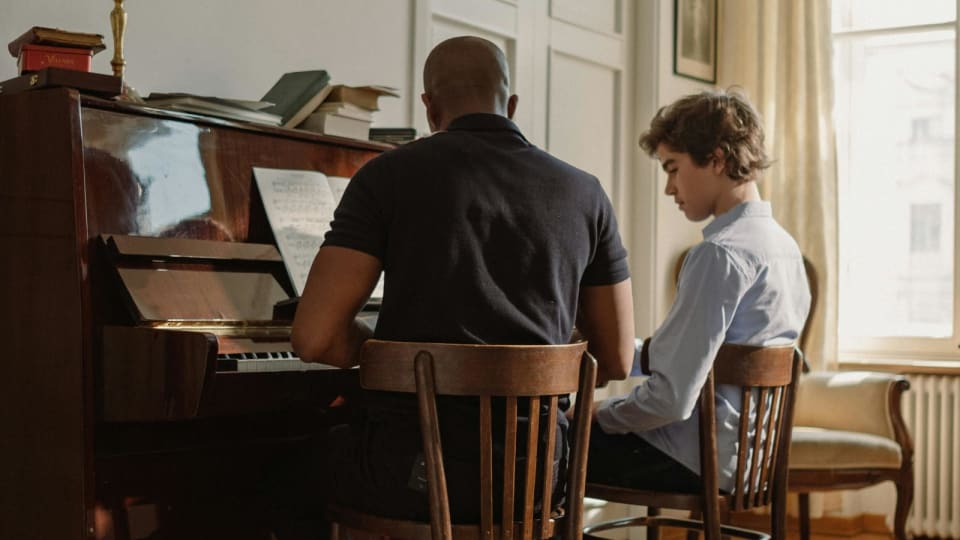
Photo: Yan Krukau via Pexels
How to choose without creating more work
Before moving a studio into any practice app, test it with three students, not thirty. Pick one reliable student, one inconsistent student, and one parent-heavy student. Give the app four weeks. Watch what actually changes: assignment clarity, parent questions, student recordings, lesson preparation time, and whether the next lesson starts with better information. If the app only creates more screens to manage, stop.
Teachers should also decide how much gamification they want before comparing feature lists. Tonara, Practice Space, Better Practice, and Muzie.Live all include motivation mechanics of some kind. That can be powerful, especially with children. It can also become noise. A good rule is this: if rewards make the student practice the right task with more focus, they are useful. If rewards make the student race through tasks for credit, they are not.
The safest default for many private teachers is Practice Space or Tonara if student motivation is the pain point, My Music Staff if studio administration is the pain point, Muzie.Live if online lessons are central, and Modacity or Pract.is if the student needs a serious practice journal. Teachers dealing with students who will not practice at all should also read what to do when a student will not practice between lessons, because software will not fix a diagnosis problem by itself.
The right practice app does not replace the teacher. It makes the week between lessons less invisible.