
Best Metronome Apps for Android in 2026
The best Android metronome apps in 2026 are not all the same: compare Takt, Tack, Metronome Beats, Soundbrenner, Pro Metronome, TonalEnergy, and Time Guru.
Pract.is Editorial
Research-based practice guidance for musicians from the Pract.is editorial team.
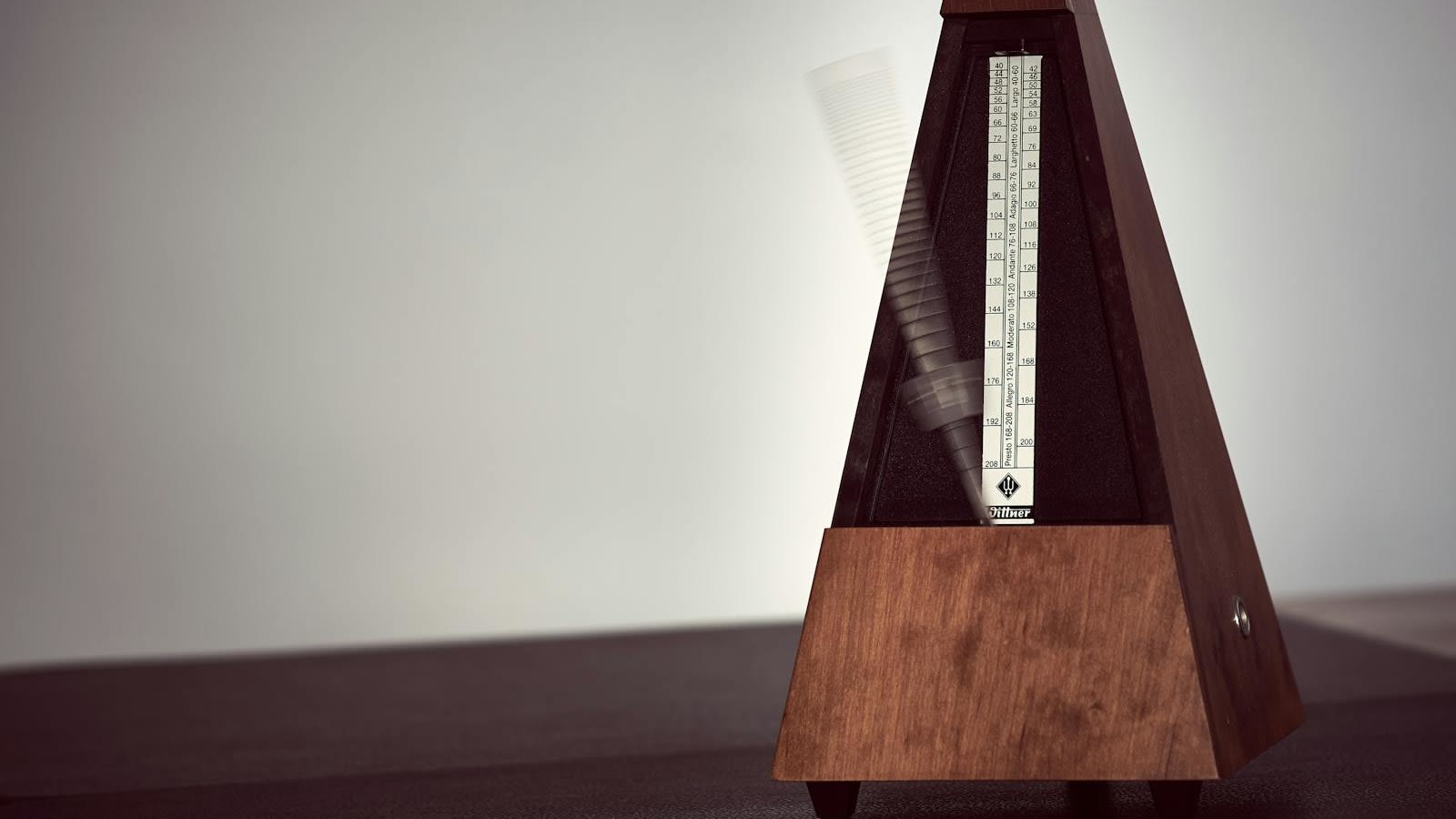
The best Android metronome app is the one you can trust after five seconds, not the one with the longest settings menu. Android musicians need stable timing, quick tempo changes, useful subdivisions, clean audio behavior, and enough training depth to improve rhythm instead of just playing a click.
This Android-specific guide is separate from our broader comparison of metronome apps for musicians. Platform matters. Some famous iPhone metronomes are weaker or unavailable on Android, while some Android-native apps are much better than generic lists suggest. This article focuses on the Android apps that make sense in 2026: Takt, Tack, Metronome Beats, Soundbrenner, Pro Metronome, TonalEnergy, and Time Guru.
Checked May 17, 2026: feature, rating, pricing, and platform notes are based on Google Play listings, official product pages, and public support pages. App-store details change, so confirm before buying or subscribing.
Android metronome apps have three jobs
A metronome app has to do the obvious job first: produce a stable click. If the app feels late, stutters when the screen sleeps, starts inconsistently, or makes changing tempo annoying, it fails before the feature list matters. Android adds another practical layer because device models, Bluetooth output, background behavior, and audio latency can vary more than players expect. A good Android metronome should make those problems less visible, not more.
The second job is setup speed. Real practice rarely happens in one tempo and one time signature. You may need to move from 72 to 84, switch from quarters to eighths, save a passage tempo, mute beats, or jump between pieces. If those actions take too many taps, musicians stop using the feature. This is why simple design can beat raw complexity.
The third job is training. A basic click can keep you honest, but better apps help you build time: muted beats, gap bars, tempo ramps, drift checks, accuracy feedback, setlists, and practice timers. That matters because metronome practice should eventually support internal pulse, not make you dependent on constant external clicks. For the practice method behind that idea, see how to practice with a metronome without becoming robotic.
Android metronome trust test
Start click instantly
no lag, stutter, or confusing setup
Change the practice task
tempo, subdivision, mute, setlist, ramp
Train internal time
mute beats, test drift, or reduce support
Keep only if cleaner
practice should feel clearer, not busier
The Android shortlist
The apps below are not ranked only by popularity. Metronome Beats has huge Android reach. Soundbrenner has the biggest ecosystem. TonalEnergy is the most serious all-in-one musician utility. Time Guru is the specialist for internal pulse. Takt and Tack are more Android-native in feel. The best choice depends on whether you need a clean click, deeper training, tuner support, setlists, or a practice system.
| App | Best for | Android notes | Main caution |
|---|---|---|---|
| Takt | Practice-focused Android metronome | Android-first, clean workflow, setlists, drift/accuracy training | Newer than the biggest incumbents |
| Tack | Elegant free Android-native metronome | 4.9 rating, 100K+ downloads, no ads, Material-style interface | Less established in advanced musician circles |
| Metronome Beats | Free broad-use Android metronome | 4.8 rating, 179K reviews, 10M+ downloads, speed trainer, drum machine | Contains ads and in-app purchases |
| Soundbrenner | Metronome plus ecosystem and tracking | 4.6 rating, 85K+ reviews, 5M+ downloads, setlists, muted beats, wearable support | Subscription/account ecosystem may be more than some users want |
| Pro Metronome | Feature-heavy rhythm practice | 4.0 rating, 21K+ reviews, 5M+ downloads, polyrhythm and playlist support | Advanced features sit behind the Pro version |
| TonalEnergy | Paid all-in-one tuner/metronome | $5.99 buy, 4.5 rating, 100K+ downloads, tuner, recording, Ableton Link | Overkill if you only need a simple click |
| Time Guru | Internal-time training | Random/pattern muting, odd-meter work, Android version now closer to iOS | Narrower than general-purpose practice apps |
Owned app disclosure
Takt
Best fit when Android practice needs setlists, tempo work, drift testing, and timing feedback without clutter.
Most downloaded here
Metronome Beats
Best if you want a free, familiar Android metronome with speed trainer and drum-machine extras.
Most complete utility
TonalEnergy
Best if you want the metronome inside a serious tuner, recording, analysis, and practice-tool environment.
Takt and Tack: the Android-native options
Takt should be disclosed clearly: it is ours. It belongs in this article because Android metronome users often need something simpler than the huge ecosystem apps but more practice-focused than a basic click. Takt is built around the core metronome workflow first: tempo control, subdivisions, swing, sound choices, background-friendly playback, tempo trainer behavior, and setlists. The features that matter most are the ones that target real rhythm problems: drift-style training and timing feedback, rather than just louder clicks.
The best case for Takt is focused practice. A player can save tempos for pieces, work through setlists, use the click as a training aid, and avoid the friction that comes with ads, account walls, or oversized dashboards. The limitation is age and scale. Takt is newer and does not have the massive public review base of Metronome Beats or Soundbrenner. That is not automatically a problem, but it is the fair comparison. Choose it if Android-native focus matters more than brand history.
Tack is the other Android-native app that deserves attention. Its Google Play listing shows a 4.9 rating, more than 1,300 reviews, and 100K+ downloads. The listing emphasizes rhythm visualization, variable accents and subdivisions, a song library for saved metronome configurations, count-in, duration, gradual tempo changes, muted beats, swing, flashing screen options, latency correction, elapsed-time display, dynamic color, large-screen support, and no ads or analytics. That is a strong Android-specific package.
The difference between Takt and Tack is emphasis. Takt is a practice-focused metronome tied to the Practis ecosystem and rhythm improvement. Tack is a polished open-feeling Android metronome with strong interface and customization decisions. Both are better Android recommendations than recycling iOS-first lists. If you want to keep the article simple: Takt for structured improvement, Tack for clean Android-native metronome design.
Metronome Beats, Soundbrenner, and Pro Metronome: the broad Android incumbents
Metronome Beats is the obvious mass-market Android pick. The Google Play listing shows a 4.8 rating, 179K reviews, and more than 10 million downloads. It describes the app as a free interactive metronome, speed trainer, and drum machine designed by musicians. The listing also highlights background use with other apps, which matters for players reading from a phone or tablet while keeping the click running.
The appeal is broad usefulness. Metronome Beats is easy to find, easy to understand, and flexible enough for many students, teachers, guitarists, pianists, singers, and drummers. It is not the cleanest or most specialized app here, and it contains ads and in-app purchases. But if the main requirement is a capable free Android metronome with speed training and drum-machine extras, it is still one of the safest default recommendations.
The Metronome by Soundbrenner is the ecosystem pick. Its Google Play listing shows a 4.6 rating, 85K+ reviews, and 5M+ downloads, and describes custom time signatures, subdivisions, beat accents, tap tempo, setlist management, 20+ sounds, visual effects, muted beats training, tuner functionality, and practice-hour tracking. Soundbrenner's manual also notes Android compatibility for smartphones and tablets running Android 10 or later. If you use Soundbrenner wearable hardware or like practice tracking inside the metronome app, it is a serious option.
The caution is that Soundbrenner is no longer just a tiny click app. It is an account, subscription, practice tracker, tuner, wearable, and ecosystem product. That can be excellent if you want those layers. It can be too much if you only want a lean Android click. The user reviews visible in Google Play also show some frustration around bloat, permissions, and subscription direction, which is worth acknowledging without overstating it. The app is popular for a reason, but it is not the quietest choice.
Pro Metronome is the feature-heavy training option. Its Google Play listing shows 5M+ downloads and describes time-signature customization, 13 time-keeping styles, counting voice, Real-Time Playback technology, accents, volume levels, subdivisions, polyrhythm settings, triplets, dotted notes, non-standard time signatures, visual/flash/vibrate modes in Pro, background play, and shareable playlists. This is useful if you want a lot of rhythm-control features in one app.
The tradeoff is density. Pro Metronome is strongest for players who like settings, patterns, stage/practice workflows, and advanced rhythm control. It is less appealing if your goal is to open the app and start a simple click quickly. That does not make it worse. It makes it a better match for drummers, ensemble players, and musicians who need nonstandard subdivisions or polyrhythms more often than the average adult beginner.

Photo: Mikhail Nilov via Pexels
TonalEnergy and Time Guru: the serious practice picks
TonalEnergy Tuner & Metronome is the best Android pick if the metronome is only one part of a larger practice-tool setup. The Google Play listing shows a $5.99 purchase, 4.5 rating, and 100K+ downloads. It describes an all-in-one app with a tuner, advanced metronome, orchestral string and guitar tuning pages, piano keyboard, sound analysis, audio recording, Target Tuner, pitch range from C0-C8, equal/just/custom temperaments, harmonic/overtone graphs, external microphone support, MIDI keyboard control, voice count-ins, preset groups, and Ableton Link.
That makes TonalEnergy overpowered for someone who only needs a basic click. It is excellent for wind, brass, string, voice, guitar, and serious ensemble players who want pitch, drone, tuner, metronome, and recording tools in one paid app. The Android listing is also relatively straightforward: paid upfront rather than ad-funded. If you already need a tuner and metronome, TonalEnergy can replace multiple small utilities.
Time Guru is narrower but musically important. Its Google Play listing describes random and patterned muting so players can test whether they rush, drag, or lose their place when the click disappears. It also supports sequences of time signatures, additive meters, odd meters, drum-machine-style patterns, voice counting, and other timing tools. That means Time Guru is not only a metronome; it is a pulse-independence trainer.
This is the app to consider if the problem is not "I need a click" but "I cannot keep time without one." The same idea shows up in rhythm pedagogy all the time: thin the support, create space, and let the returning click reveal drift. If that is the weakness you are fixing, Time Guru can be more valuable than a prettier all-purpose app. It is a specialist, and specialists are often exactly what serious practice needs.
Choose TonalEnergy if...
You want a paid all-in-one tuner, metronome, recorder, drone, pitch-analysis, and practice utility.
Choose Time Guru if...
You want random muting, gap-click work, odd-meter sequences, and internal-time training.
Which Android metronome should you install first?
Start with the least complicated app that solves the actual problem. If you need a clean Android-first practice metronome, install Takt or Tack. If you want the broad free default with lots of public proof, install Metronome Beats. If you already like Soundbrenner hardware or want metronome plus tracking, install Soundbrenner. If you need advanced rhythm configurations, install Pro Metronome. If you want one paid app that also handles tuning and recording, choose TonalEnergy. If your internal pulse collapses when the click disappears, choose Time Guru.
Do not judge the app only by the first minute. Test it the way you actually practice. Put on Bluetooth headphones if you use them. Let the screen sleep. Change tempo quickly. Try subdivisions. Save a piece tempo. Use muted beats or gaps. Play along for five minutes, then turn the click off and record a short pass. If the app makes practice clearer, keep it. If it makes practice more fiddly, remove it.
Best Android-first pick
Takt or Tack, depending on whether practice training or interface polish matters more.
Best free mass-market pick
Metronome Beats, especially if you want speed training and a drum-machine layer.
Best ecosystem pick
Soundbrenner, especially if wearables, setlists, tracking, and tuner features matter.
Best serious utility
TonalEnergy, if tuning, recording, drones, analysis, and metronome work should live together.
Best internal-time trainer
Time Guru, if random and patterned muting are the main reason you are using the app.
Best advanced rhythm controls
Pro Metronome, if polyrhythms, playlists, visual modes, and subdivisions are the priority.
The best Android metronome app should make the beat easier to work with and harder to hide behind. If the click becomes a crutch, the app is not solving the deeper rhythm problem. Use the app to build time, then turn it off often enough to prove the time is yours.
More on setup.

Silent Piano vs Digital: Is a Hybrid Piano Worth It?
Silent piano vs digital piano: compare action, headphone noise, upkeep, prices, and whether a hybrid earns its premium for shared-home practice.
Pract.is Editorial
61 vs 76 vs 88 Keys: Which Keyboard Size Is Right?
61 vs 76 vs 88 keys comes down to range, action, and space. Compare each size by repertoire, portability, and three current keyboard examples.
Pract.is Editorial

Best Keyboard Gig Bags and Cases in 2026: 61- and 88-Key Picks
Compare the best keyboard gig bags and cases for 61- and 88-key boards, with current prices, interior dimensions, case weights, and airline guidance.
Pract.is Editorial