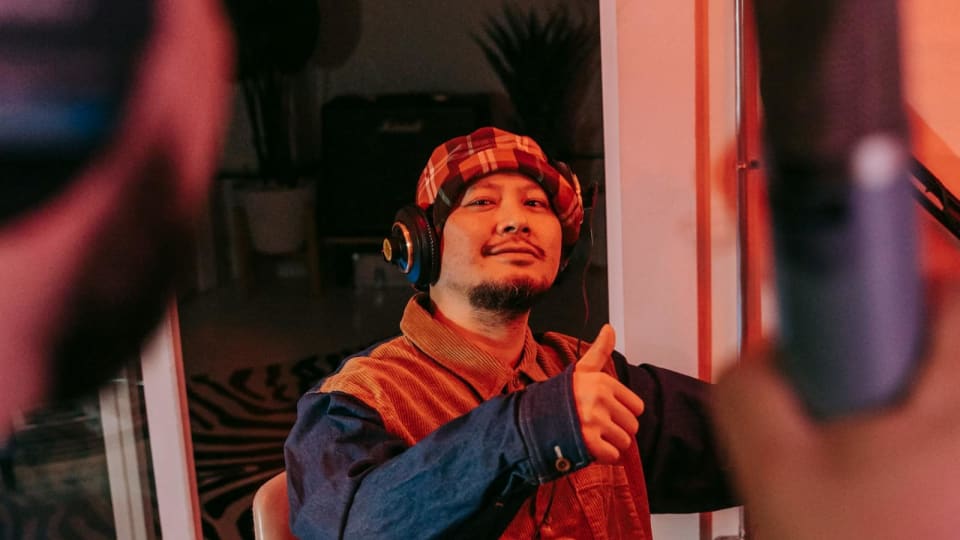
If you are not recording yourself regularly, you are probably missing things that are obvious to everyone else. This is one of the strangest parts of practice: while you are playing, your attention is divided between notes, rhythm, fingering, memory, and physical control. That makes self-judgment less reliable than most musicians think.
Recording fixes that. It turns your playing into something you can actually examine instead of merely remember.
The fast version: if you want quicker improvement, start recording short practice takes on your phone. You do not need studio gear to learn a lot.
There is good reason for this. A 2025 study on piano students found that short audio-feedback interventions using playback supported self-observation and improved performance outcomes. More broadly, research on self-evaluation in singers found that performers were often surprisingly inaccurate when judging their own previously recorded performances. In practical terms, the ear you have after the take is often more honest than the ear you have during the take. Nusseck et al., Larrouy-Maestri et al..

Photo: Mikhail Nilov via Pexels
Why Recording Yourself Helps So Much
| What recording reveals | What usually happens live |
|---|---|
| Uneven rhythm and rushing | You are too busy surviving the passage to notice the drift clearly |
| Balance problems between melody and accompaniment | It feels more balanced under the hands than it actually sounds |
| Tension and awkward movement | You often normalize your own physical habits while playing |
| Memory insecurity and hesitations | You remember the intention more vividly than the actual result |
1. Start with the Simplest Setup Possible
You do not need to wait until you own a microphone, audio interface, or camera rig. For most practice purposes, the best first setup is simply:
- your phone
- a stable stand, shelf, or cheap tripod
- a quiet room
The point of practice recording is not to produce a commercial piano album. The point is to hear the truth more clearly.
2. Where to Put Your Phone
Phone placement matters more than people think. If the phone is too close to the strings or speaker area, the sound can get harsh or distorted. If it is too far away, the room takes over.
A good starting point is:
- about 1.5 to 3 meters away
- slightly above key height if possible
- angled so the instrument projects toward the microphone, not directly into it
For upright pianos, try a position a few feet back and slightly to one side rather than directly above the keys. For grand pianos, try a position that captures both the instrument and a bit of room without putting the phone right inside the lid line.
The easiest test is to record 20 seconds from two or three positions and compare. Your room will tell you quickly which setup sounds most natural.
3. Record Audio More Often Than Video
Video is useful, especially for tension and movement. But audio-only recording is often enough for daily feedback and is much easier to repeat consistently.
A practical division is:
- audio: several times a week for rhythm, tone, balance, and continuity
- video: once or twice a week for posture, movement, and visual habits
This keeps the habit sustainable.
4. Good Free Recording Apps in 2026
| App | Best for | Why it is useful |
|---|---|---|
| Voice Memos (iPhone) | Fast no-friction audio capture | Built-in, easy editing, iCloud sync, support for external microphones |
| Recorder (Pixel) | Fast capture plus transcript/search on supported Pixel phones | Useful if you also want searchable notes or summaries tied to recordings |
| Dolby On | Cleaner casual recordings on phone | Free app with noise reduction and easy sound shaping |
| BandLab | Free multitrack and simple editing | Free on web/iOS/Android, useful if you also want to layer or review takes in a project view |
Current official sources for these as of March 7, 2026: Apple Voice Memos, Google Recorder summary/transcript updates, Dolby On, BandLab platforms, BandLab Video Mix, BandLab monitoring.
5. If You Buy Nothing Else, Buy Stability
If you decide to spend a little money, the first upgrade should usually be stability, not a fancy microphone. A basic tripod or reliable phone mount does more for consistency than many beginners expect.
Why? Because if setup is annoying, you will stop recording. A habit-friendly setup beats a theoretically better one that never gets used.
6. If You Want Better Sound Later, Upgrade in This Order
- stable phone mount or tripod
- quiet room and better placement
- external microphone only if you have already outgrown the phone capture
- audio interface or more advanced setup only if you truly need higher-quality production
For most students, room and placement improvements matter before expensive gear does.
7. What Students Usually Discover When They Listen Back
- the melody is not projecting as much as it felt under the hands
- rubato was actually hesitation
- “solid” rhythm was drifting
- pedal blur was much worse than expected
- the piece sounded more tense than it felt
This is why recording can accelerate progress so much. It closes the gap between intention and result.
8. How to Listen Back Without Spiraling
Many musicians make one mistake here: they record themselves, hate the result, and then turn the recording into a general self-criticism session. That is not useful.
A better method is to listen back with one question at a time:
- Was the pulse steady?
- Could I hear the melody clearly?
- Where did tension become audible?
- Did the structure feel continuous?
Use the recording to diagnose, not to attack yourself.
A Simple Recording Habit That Works
| When | What to record | Why |
|---|---|---|
| Early in the week | One short section | Catch technical or rhythmic problems early |
| Midweek | One full take of the current piece | Check continuity and musical pacing |
| End of week | Another full take or video clip | Compare progress and spot recurring issues |
If you want to make the habit more useful over time, log your recordings and notes in Pract.is. That makes it easier to compare what you heard this week with what changed next week instead of relying on vague memory.
FAQ
What is the best free app to record piano practice?
For pure simplicity on iPhone, Voice Memos is still excellent. If you want automatic enhancement, Dolby On is useful. If you want a free project-style workflow, BandLab is strong. If you use a Pixel, Recorder is especially handy for searchable transcripts and summaries.
Where should I place my phone to record piano?
Usually a few feet back, stable, and slightly above key height works well. Avoid placing it so close that the sound becomes harsh or distorted.
Should I record audio or video?
Both are useful, but audio is easier to do often. Video becomes especially useful when you want to check posture, movement, and visible tension.
Why do I sound worse on recordings?
Usually because the recording is more honest than your real-time self-perception. That is exactly why recording is such a useful practice tool.
The Bottom Line
Recording yourself is one of the fastest ways to turn vague practice into honest practice.
Start with your phone, keep the setup simple, and listen back with one clear question at a time. You will usually hear your next priority much faster than you can feel it while playing.