
Musicca is difficult to replace because its entire browser library is free, broad, and tied to one progress account. A different site becomes useful when one part of that package starts to feel limited, such as exercise control, advanced harmony, assignment management, or the depth of the explanations.
Among the current Musicca alternatives, musictheory.net is the closest no-account substitute for everyday drills. Teoria reaches farther into dictation and harmony, while ToneSavvy, Open Music Theory, and muted.io each solve a more specific problem.
What Musicca includes for free
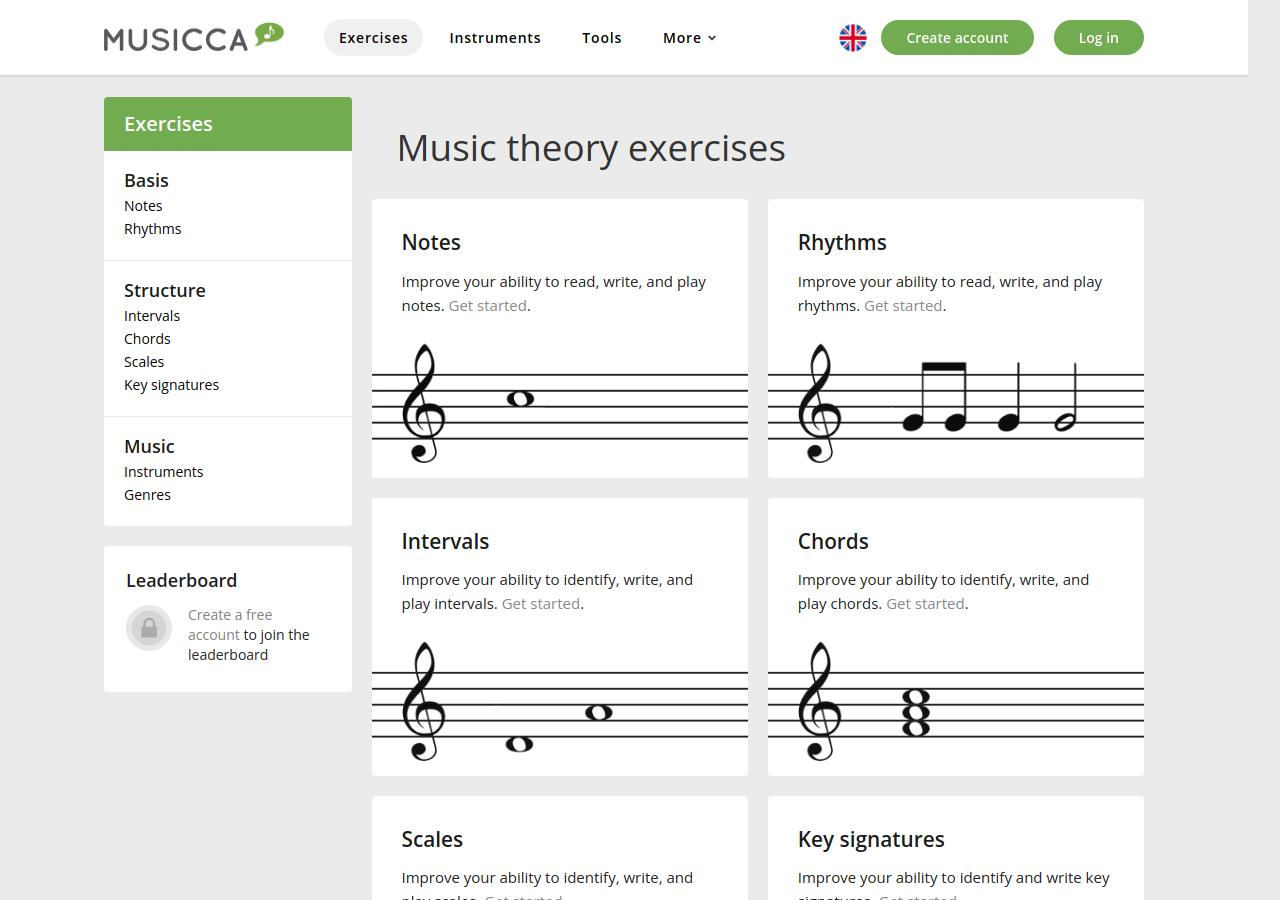
Musicca covers note reading, rhythm, intervals, chords, scales, key signatures, instrument recognition, and genre recognition. The same site also supplies virtual instruments, a metronome, tuner, note and chord finders, a circle of fifths, staff paper, lessons, and a theory dictionary. That range explains why a focused drill site may feel better in one area without replacing Musicca as a whole.
Most pages can be sampled without signing in. According to Musicca's current help page, a free account opens all content, removes ads, saves results, tracks progress, and enables its leaderboard. There is no native app or offline mode. The browser version works on computers, tablets, and phones as long as an internet connection is available.
The school tools are also free. A teacher can create classes and inspect student progress, but Musicca does not currently let teachers build assignments or connect the class to another learning platform. Its own guidance permits any number of classes and students, while recommending no more than 50 students in one class for smooth use. The Musicca directory profile gives the compact product overview.
Exercise count alone does not show how a site handles a session. The useful differences appear in how it explains a concept, controls the question set, responds to an error, and records enough information for the next visit.
Our post on learning music theory as an adult covers how the concepts build and connect to repertoire. Browser quizzes handle repetition and feedback. The same idea also has to be heard, played, sung, or located in a piece.
The exercise controls on musictheory.net
musictheory.net provides its web lessons, exercises, and tools free of charge and without ads. No account is required. The exercise library covers staff identification and construction, keyboard and fretboard work, and ear training for notes, intervals, scales, and chords. The lessons continue beyond fundamentals into diatonic harmony, chord progressions, nonharmonic tones, and Neapolitan chords.
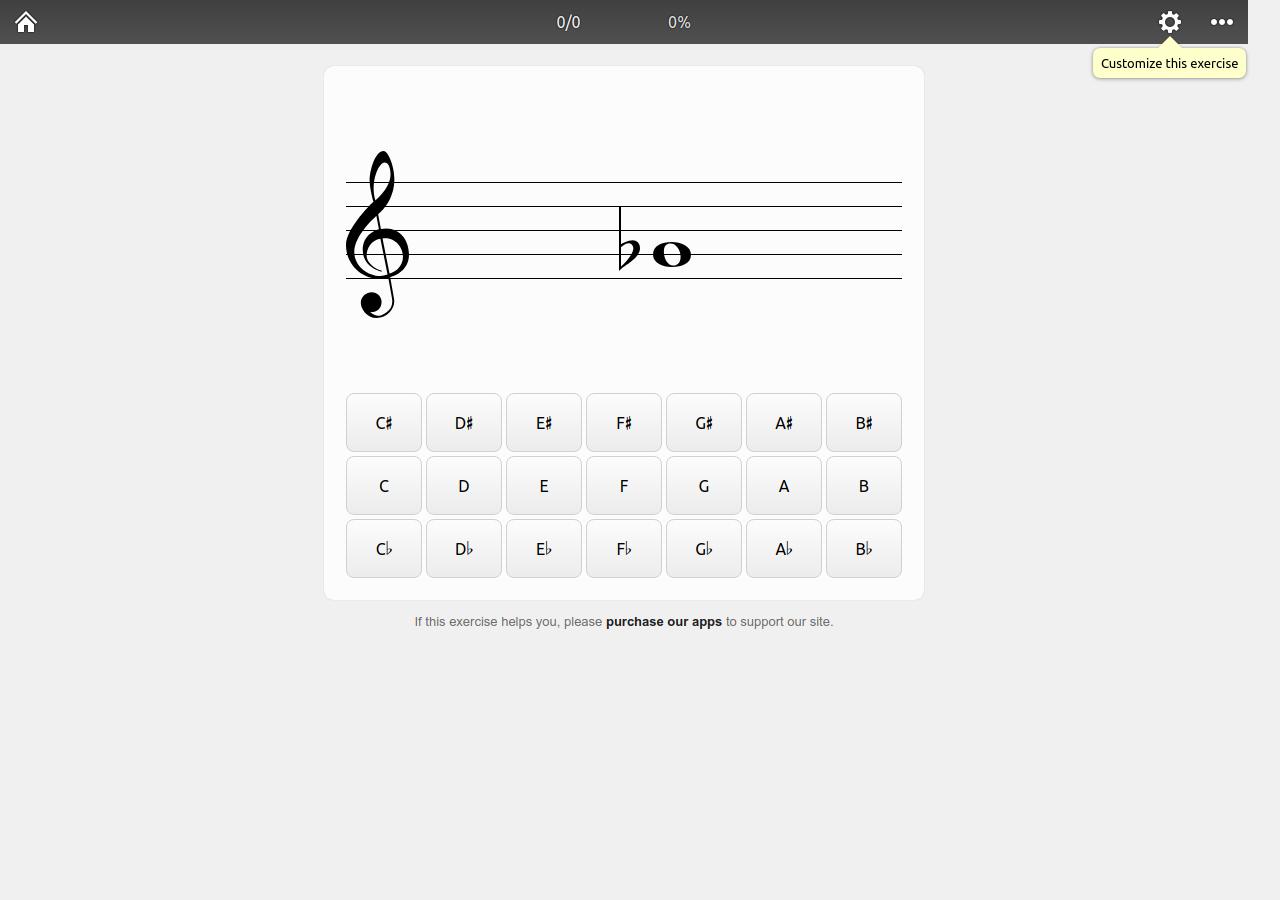
Control over the question set is the clearest difference from Musicca. A note exercise can be narrowed by clef, staff range, key signatures, accidentals, note names, helper display, next-question behavior, multiple attempts, and challenge question or time limits. Comparable controls exist for intervals, scales, chords, keyboards, fretboards, and listening exercises. This makes it easier to isolate one gap instead of moving through a fixed sequence of levels.
There is no cloud account or persistent web dashboard. Teachers can create a permanent customized link, add a time or question limit through Challenge Mode, and receive a signed progress report with a verification code generated in the student's browser. The teacher still has to collect those links or codes elsewhere. Tenuto supplies an enhanced offline version of the exercises on iPhone and iPad as a separate paid app; it is not required to use the website.
Advanced material in Teoria and Open Music Theory
teoria.com has been online since 1997 and now reaches far beyond basic note and interval drills. Its current library includes rhythmic, melodic, two-voice, and four-voice dictation; sight singing; and harmonic progressions. More advanced areas include extended chords, secondary functions, augmented-sixth and Neapolitan chords, jazz progressions, harmonic analysis, transformations, and twelve-tone matrices. Many exercises accept MIDI-keyboard answers in a supported desktop browser.
All of that content is free and the exercise pages are ad-free. An optional sign-in saves exercise scores to Teoria's database and provides score and practice-time graphs; score reports can be downloaded as PDF or TSV. Exercise preferences and favourite-exercise shortcuts remain local to the device. The interface puts many controls on one desktop screen and becomes dense on a phone. Those settings cover inversion, voicing, chromatic content, dictation complexity, and harmonic function.
Open Music Theory, Version 2 addresses a different gap. It is a free, openly licensed online text and workbook intended for undergraduate theory study. The contents run from fundamentals through diatonic and chromatic harmony, form, counterpoint, twentieth-century techniques, rhythm, popular music, jazz, orchestration, and other topics that a compact drill library cannot explain in a few feedback screens.
Open Music Theory has interactive notation in places, but it does not behave like a gamified practice account. There is no streak, adaptive sequence, or personal results dashboard. It works well beside a drill site when the missing piece is explanation, analysis, or a written assignment. Someone preparing for a full aural curriculum may instead need the structured products in the EarMaster alternatives comparison.

ToneSavvy's free drills and paid teacher layer
ToneSavvy lets anyone open its standalone exercises and practise without an account. Its scope includes note names, intervals, chords, scales, key signatures, rhythm performance and dictation, melodic dictation, counterpoint, ear training, and fingerboard work for guitar and orchestral strings. The free route is substantial, although scores are not saved and a teacher cannot award assignment credit from anonymous sessions.
The subscription pays for the classroom layer. Teachers can create student accounts, tailor assignments, and inspect scores and progress. A 30-day trial requires no payment details. As of August 30, 2026, the standard monthly tiers are $19 for up to 25 students, $39 for 75, $59 for 150, and $99 for 300; students do not pay. Musicca includes basic class progress at no charge. ToneSavvy's paid layer adds teacher-built assignments, which Musicca currently lacks.
A private learner can use ToneSavvy's drills at no cost and keep a simple record elsewhere. Paid school accounts add distribution, customization, and reporting around those exercises.
muted.io provides interactive references
muted.io centres on interactive music references. Its tools let the user inspect and hear a relationship without starting a scored exercise. The free browser collection includes a circle of fifths, scales and modes, diatonic chords, interval references, piano chord views, guitar and bass fretboards, a chord transposer, tuners, a virtual piano, and a small beat maker.
The browser tools require no account and provide no cloud progress or class layer. The site publishes a numbered introduction to music theory, though most tools work as standalone references instead of an account-based course sequence. The optional $17 desktop app packages 23 tools for Windows, macOS, and Linux and comes with a 30-day money-back guarantee. The web tools remain free, so the desktop purchase mainly changes access and convenience. The reference layout suits quick questions about a chord shape, scale, or transposition during score study and songwriting.
Five Musicca alternatives compared
Prices and access terms are current as of August 30, 2026. “Free” describes the browser use shown here; optional apps, teacher management, or desktop packaging can still cost money.
| Site | What stays free | Account and progress | Strongest use | Main boundary |
|---|---|---|---|---|
| Musicca | All content and school tools | Free account for full access, history, and leaderboard | Broad all-in-one fundamentals practice | Online only; no teacher-built assignments |
| musictheory.net | All web lessons, exercises, and tools; no ads | No account; shareable exercise and report links | Precisely configured drills | No cloud history or class dashboard |
| teoria.com | Tutorials, references, exercises, and analyses; no exercise ads | Optional free sign-in for scores, graphs, and exports | Advanced harmony and dictation | Dense interface; no native app |
| ToneSavvy | All standalone practice exercises | Free solo use is anonymous; teacher plans start at $19/month | Custom assignments and varied drills | Saved scores and credit require a teacher plan |
| Open Music Theory | Complete online text and workbook | No learner account | College-level explanation and assignments | Few drill loops; no adaptive progress |
| muted.io | Interactive browser references and tools | No account or history | Keyboard, fretboard, chord, and scale visualization | Reference-led; no class layer or saved scoring |
A full beginner piano course is a different search from theory practice. The free piano apps comparison covers repertoire, lesson sequence, and playing feedback that these sites do not attempt to provide.
Compare two sites with the same twelve-minute session
The comparison works best with a topic that is currently causing trouble: bass-clef ledger lines, compound-meter rhythm, seventh-chord inversions, or hearing scale degrees after a cadence. Testing the same material on two sites keeps interface polish from disguising a shallow exercise.
- Set the clef, range, key, chord type, or listening context.
- Complete ten prompts without changing the topic.
- Notice how much time is spent configuring versus answering.
- Enter one wrong answer deliberately and read the response.
- Replay, sing, or build the same example on the instrument.
- Close the page and check what can be resumed or shared.
Repeat the twelve minutes on the second site. Keep a short note on setup time, feedback quality, control, and whether the result can be revisited.
After several short sessions, the practical differences become clearer: setup time, feedback after an error, and what the site remembers. Musicca will probably remain the easiest home base for readers who use its broad coverage, progress tracking, or school tools. A specialist site can cover a recurring weak area without replacing the rest of the routine.


