
A four-minute score can be a browser assignment on Monday and the first page of a forty-page arrangement by Friday, so the editor that felt convenient at the beginning may become awkward once the score has parts, layout exceptions, collaborators, or a classroom attached to it.
MuseScore Studio is usually the stronger individual notation editor. Noteflight is usually the easier place to hand an editable score to another person through a browser. That puts the score's next destination at the center of the comparison.
MuseScore vs Noteflight: the practical answer
MuseScore Studio is a free desktop program for Windows, macOS, and Linux. Noteflight runs in a web browser and stores scores inside an online account, with Basic, Premium, and education-focused Learn plans. The table shows what those different foundations mean during common jobs.
| Job | Noteflight | MuseScore Studio |
|---|---|---|
| Open on a managed Chromebook | Sign in through a supported browser | Desktop installation is required |
| Work without internet | The editor and online scores depend on a connection | Local files remain editable offline |
| Prepare ensemble parts | Premium supports individual-part formatting and printing | Automatic parts, custom parts, voices, and deeper layout control |
| Send editable work | Invite or link with view, comment, or edit permission | Send the file or a cloud score; editing returns to Studio |
| Run class assignments | Learn adds activity copies, groups, LMS links, and teacher feedback tools | No comparable classroom-management layer |
| Build a large personal archive | Basic allows 10 active scores; Premium removes the limit | Unlimited local score files in the free editor |
That makes MuseScore Studio the more capable default for a composer, arranger, copyist, or student who controls the computer and wants a substantial score to remain locally editable. Noteflight becomes more compelling when installation is difficult or the work must pass between teachers, students, and devices. A small project can be completed comfortably in either one.
Noteflight vs MuseScore starts with different definitions of a score
Noteflight describes its editor as a web application for editing, displaying, and playing notation in a standard browser. Its support page lists Chrome, Safari, Edge, Firefox, and Mobile Safari on iOS 15 or later. A phone or tablet can open a score, although dense editing still benefits from a larger screen and physical keyboard.
MuseScore has several related names. MuseScore Studio is the installed, open-source notation editor. MuseScore.com is the separate web service for cloud scores, public sharing, comments, and a sheet-music catalog. Saving a score to the cloud can keep a local copy synchronized with the online version, but the browser page is not a second Studio editor.
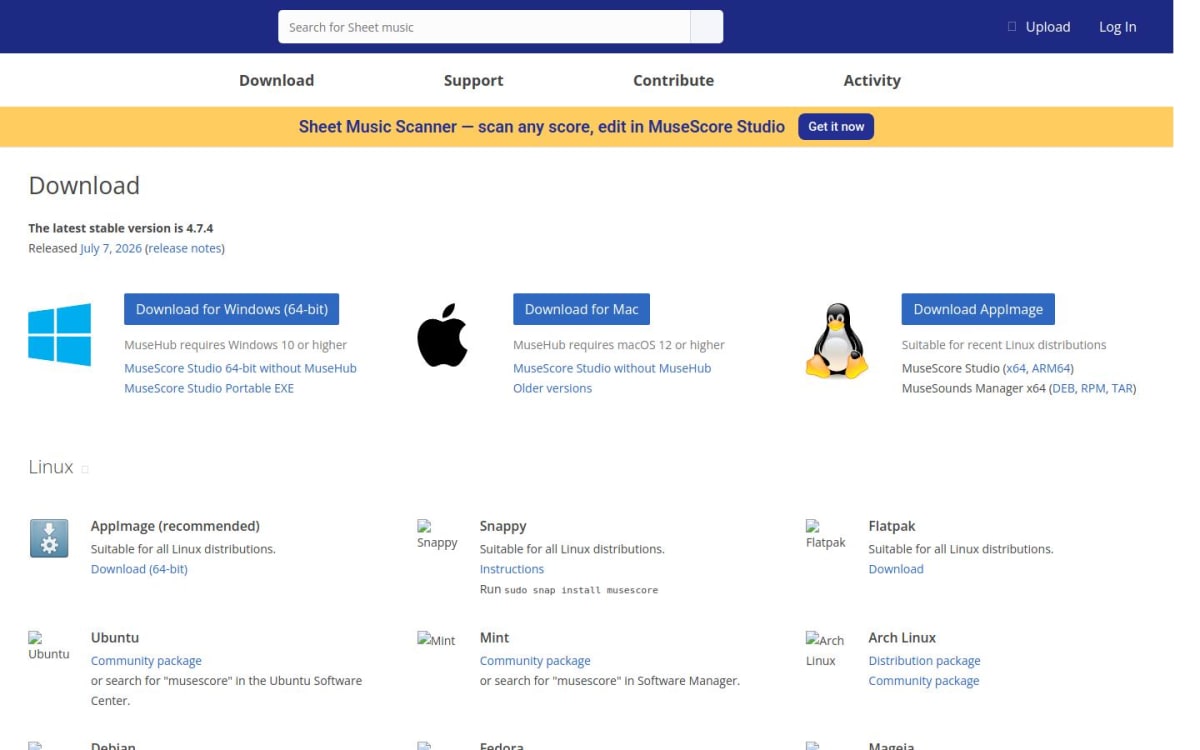
MuseScore's download page still listed Studio 4.7.4 as the stable release on August 31, 2026. The core installation needs about 500 MB, while the page allocates 15 GB when Muse Sounds are added. It lists 8 GB of RAM as the minimum and 16 GB as recommended. The default MuseHub download requires Windows 10 or macOS 12 or later; standalone Studio downloads are also available.

The storage model affects every later handoff. This visual follows the normal route through each product before any file is exchanged.
Where the editable master lives
One score, two normal routes
Moving a Noteflight score into MuseScore
This direction makes sense when a short online score grows into a project with several instruments, extracted parts, repeated layout adjustments, or detailed playback. Noteflight Premium already has independent part formatting, custom styles, a mixer, 85 instrument sounds, and audio features. The notes may have been entered comfortably there. Finishing the expanded project is where a larger desktop toolset and a native file become more useful.
MuseScore Studio automatically creates a part for each instrument, can build custom parts from selected instruments and voices, and supports up to four independent voices on a staff. Its Properties and Layout panels expose more element-level and score-wide control. Playback can use MS Basic, downloadable Muse Sounds, SoundFonts, and VST instruments or effects. Version 4.7 also added further engraving controls, searchable mixer menus, audio-engine improvements, and 16- or 24-bit WAV export.
Note entry is not a major barrier in either program. Both accept mouse, computer-keyboard, and USB MIDI input. Noteflight also offers MIDI transcription, although its MIDI controller support is currently limited to Chrome. MuseScore has several note-entry modes, customizable shortcuts, an onscreen piano keyboard, four voices, and MIDI mappings for actions such as duration selection.
The normal transfer starts with a MusicXML export from Noteflight and a reference PDF. Keep the original online score as well. After opening the MusicXML in Studio, inspect fonts, system breaks, text, transpositions, tuplets, percussion, slurs, and every extracted part. Our comparison of MuseScore, Sibelius, and Dorico covers the next decision when the project has reached publication or professional-copying territory.
Moving a MuseScore score into Noteflight
The reverse route is common in teaching. A teacher can prepare a short exercise in MuseScore, export MusicXML, import it into Noteflight, and send a browser link to students who may be using managed Chromebooks. Installation and local-file collection disappear from the assignment itself. The cost is that the imported score now lives inside Noteflight's account and browser model.
Noteflight's June 2026 update added multi-note rhythm changes, improved repeat and dynamics playback, lyric copy and paste, underties, and performance work in larger scores. It also introduced PDF import for Premium accounts as a Feature Preview. For a planned transfer from MuseScore, MusicXML remains the more appropriate starting point because it carries editable musical structure rather than asking an early-stage PDF converter to reconstruct it.
Ordinary Noteflight sharing can give invited people or link recipients permission to view, comment on, or edit a score. The documentation describes shared edit access, but it does not promise conflict-free, simultaneous cursors like Google Docs. A group that intends to compose in the same file at the same moment should test that exact behavior with two accounts before basing a project on it.
Noteflight Learn adds the classroom layer. An activity template produces a unique copy when each student first opens it, while the teacher can reach the resulting copies from the template. Groups, Google Classroom and LMS connections, prompts, comments, and audio recording reduce the separate administrative work around a notation exercise. An optional paid SoundCheck add-on can add automated performance assessment. MuseScore Studio has no equivalent class roster or assignment-copy system.

Sharing also carries a copyright condition that can affect imported arrangements. Noteflight's current sharing rules ask users to identify an arranged work through its catalog, and a copyrighted title that cannot be matched may not be shareable. That is separate from whether MusicXML can technically import the notation. If browser collaboration is essential but Noteflight's plan or workflow does not fit, our comparison of current Noteflight alternatives covers the wider field without repeating it here.
One representative score reveals the friction quickly
A blank four-bar piano score makes both editors look simpler than they will feel in regular use. A better trial contains the awkward things that occur in your actual work: at least two staves, independent voices, lyrics or chord symbols, a tuplet, a transposing instrument, rehearsal text, and a page break. Then move that same score through the five stages below.
Time the interruptions rather than the first launch. In Noteflight, notice whether the browser, connection, score limit, sharing settings, and part formatting slow down the real task. In MuseScore, count the installation, sound-library setup, file handoff, and time needed for another person to download and open Studio. A five-minute difference at setup matters less than a repeated delay that appears in every assignment or every extracted part.
The handoff stage is particularly revealing. Ask the second person to change one note, leave one comment, and return the score. Then disconnect from the internet and make another edit. Those actions expose the browser-versus-file decision more clearly than a long feature list, without pretending that a single score can test every advanced notation edge case.
Price buys different parts of the workflow
The current prices are easy to misread because the products charge for different things. Noteflight limits the free online account and sells expanded individual or classroom service. MuseScore Studio gives away the desktop editor; subscriptions promoted on MuseScore.com belong to the separate web catalog and service.
| Plan or product | US price checked Aug. 31, 2026 | What changes |
|---|---|---|
| Noteflight Basic | $0 | Up to 10 active scores and a reduced feature set |
| Noteflight Premium | $7.95 monthly or $49 yearly | Unlimited scores, premium notation and formatting, 85 sounds, recording, and expanded exports |
| Noteflight Learn | From $69 yearly, minimum 10 users | Private education site, assignments, groups, LMS connections, and feedback workflow |
| MuseScore Studio | $0 | Complete open-source desktop editor with unlimited local scores |
Noteflight's Premium page is the source for the individual price and current plan features; the Learn price comes from its education page. Prices can vary by region or later promotion. A MuseScore.com PRO offer should not be added to the cost of Studio unless the web catalog or its subscription benefits are independently useful to you.
For an individual who wants deep notation and owns a compatible computer, Studio's free license is difficult to beat. A school may reach a different result because account provisioning, assignment copies, feedback, and browser access have operational value. The comparison should include the time spent moving files and resolving versions, not just the invoice.
MusicXML moves notation, but account context stays behind
Noteflight imports MusicXML and MIDI and offers PDF, MIDI, WAV, MP3, and other exports, with some formats reserved for Premium. Safari currently cannot export audio. MuseScore Studio exports MusicXML, MIDI, PDF, images, audio, MEI, and additional formats. Format support makes a mixed workflow possible, but the files do not carry the entire environment from either product.
MuseScore's own MusicXML guide says that notes and instrumentation transfer faithfully while cleanup is usually needed for the page to match. Fonts, spacing, line and page breaks, text types, manual positions, and application-specific properties may differ. A practical exchange package includes the native source, a MusicXML file, and a reference PDF. Compare every page and regenerate all parts after import.
Some information cannot be expected in MusicXML at all. Noteflight comments, group membership, assignment copies, sharing permissions, and SoundCheck context remain in the account. MuseScore-specific sound assignments, plugins, detailed style choices, and some playback behavior remain with Studio and its native file. A cloud link or PDF preserves access to a result, but neither replaces the editable master.
When the next edit is most likely to come from a student or collaborator in a browser, the Noteflight version usually remains the master. A project accumulating parts, engraving adjustments, local audio tools, or offline revisions is easier to maintain as a MuseScore file. Some workflows use both: a short classroom exercise can live in Noteflight, while its final ensemble arrangement is maintained in MuseScore Studio.
Once notation is finished and the job becomes rehearsal from a PDF, a dedicated score reader may be the next tool. Our post on sheet-music apps for display and practice separates that decision from composition and engraving.