The best sheet music app is not automatically the one with the longest feature list. forScore is the strongest mature Apple score reader; MobileSheets is the best serious cross-platform option; Newzik is the most compelling for collaboration and score conversion; Piascore is the easiest low-cost Apple starting point; and Practis Score is the best fit when the page should connect to a continuing practice record.
Those answers can all be true because musicians use digital scores for different jobs. A pit player needs setlists and page-turn reliability. A teacher may need shared markings. A student may care more about returning to yesterday's trouble spot than managing two thousand PDFs.
This guide compares the products by those jobs, using current official feature pages and public product interfaces checked on July 17, 2026. Practis Score is ours, so its strengths and its limits are stated plainly rather than hidden behind a neutral-sounding ranking.
The page is only one part of the job
A sheet music app can sit at four different points in the working chain. It may help you get a legal score, read it comfortably, work on it with markings and rehearsal tools, or remember what happened after the screen closes. Most comparisons blur those jobs together, which is how a subscription library ends up ranked against a PDF reader as if they were interchangeable.
The visual below treats the digital score like a musical phrase. Each note is a handoff, and the last handoff is where many otherwise excellent readers become quiet: the annotations remain, but the reason for them and the work around them may not.
Four jobs, one score
A reader can be superb at the middle two notes without solving access or practice memory.
Access apps such as nkoda supply licensed music through a subscription. Reader apps such as forScore, MobileSheets, and Piascore assume that you already have a PDF, then make it legible and manageable. Workspaces add annotations, setlists, pedals, audio, and collaboration. A practice-aware score also preserves time, trouble spots, notes, or page-level evidence so tomorrow does not begin from a blank memory.
That last category is narrower than a complete practice system. For the broader distinction between timers, lesson products, score tools, and journals, our comparison of music practice apps by the job they actually do uses the whole session rather than the page as its unit of analysis.
"A score reader can remember every pencil mark and still forget the practice that produced it."
The 2026 comparison in one table
The table focuses on each product's center of gravity, not every setting in every menu. A dash means that the feature is not the product's main job, not necessarily that no adjacent tool exists. Pricing models and platform support can change, so the linked official pages remain the final check before buying.
| App | Platforms | Strongest job | Practice memory | Best for |
|---|---|---|---|---|
| Practis Score (ours) | Web, iPhone, Android | Score-to-session continuity | Session log, notes, markers, page heatmap | Musicians practicing owned PDFs |
| forScore | iPad, iPhone, Mac, Vision Pro | Deep PDF library and performance workflow | 90-day local Dashboard, goals, reports | Apple-based professionals and large libraries |
| Newzik | iPad, iPhone, web | OMR, transposition, shared projects | Score state and shared annotations | Teachers, ensembles, transposing work |
| MobileSheets | macOS, iOS, Android, Windows | Cross-platform library and live use | Annotations, score-linked audio and loops | Mixed-device groups and Android users |
| Piascore | iPad, iPhone | Accessible reading and basic organization | Marks, bookmarks, recordings | A capable Apple start without a subscription |
| nkoda | App and web ecosystem | Licensed subscription catalog | Not its main value | Finding editions you do not already own |
No row wins every column. forScore and MobileSheets are mature enough to support a professional performance library; Newzik can do things to the musical content that a conventional PDF reader cannot; Practis Score keeps a tighter thread between a page and later reflection. The decision gets easier once the device and the next handoff are named.
forScore, Newzik, and MobileSheets are serious in different ways
forScore: the deepest Apple score workspace
forScore 15 is still the safest recommendation for a musician whose professional score life already lives on Apple hardware. It handles PDFs, bookmarks, labels, metadata, setlists, page rearrangement, cropping, audio tracks, recording, metronome work, Bluetooth pedals, MIDI commands, and synchronized page turns. It is a universal purchase across supported iPhone, iPad, Mac, and Vision Pro devices, and its interface has had years to absorb the unglamorous reliability work that matters on stage.
It would be inaccurate to call forScore display-only. Its opt-in Dashboard records which scores, bookmarks, and setlists were viewed and for how long. It offers 90 days of analytics, time- or view-based goals, and shareable PDF reports; the data stays local unless the musician chooses to share it. That is real practice tracking, especially for a player who already treats the score as the center of every session.
The limits are structural rather than signs of a weak product. forScore is Apple-only. Its tracking tells you what was open and for how long, but it is not built around a cross-device practice journal, page heatmaps, or a shared teacher-student history. It also does not provide Newzik's score recognition, transposition, or real-time collaborative projects. None of that matters to a pit musician who needs the next setlist to open instantly; all of it can matter to a student or ensemble.
Newzik: the score can become editable and shared
Newzik makes the strongest case when the PDF is not the final form. Its LiveScore system uses optical music recognition to convert a score into interactive notation, then supports guided playback, section navigation, MIDI accompaniment, transposition, and MusicXML or MIDI export on the relevant plan. Cloud libraries, versions, setlists, synchronized annotations, and collaborative projects also make it a better fit than a device-local reader for some teachers, chamber groups, and organizations.
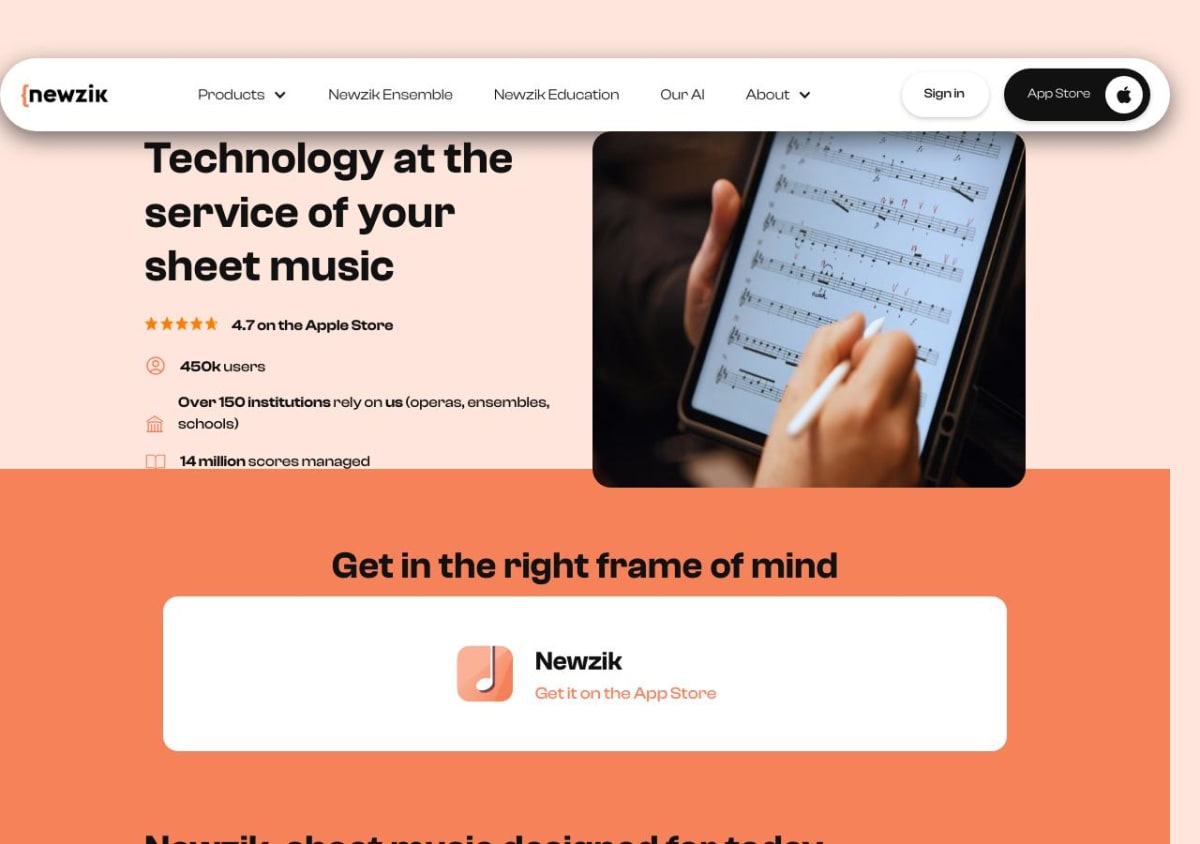
Newzik's current public pricing shows Essentials at EUR 29.99 as a one-time purchase, with storage for up to 1,000 pieces, ten LiveScore pages, one collaborative project, and web access. Premium is listed at EUR 49.99 per year or EUR 9.99 per month, with unlimited LiveScore conversions and projects, transposition, export, and face-gesture page turning; a EUR 199 lifetime option is also shown. Those amounts make sense only if its distinctive tools are used. Paying for OMR and collaboration to read ordinary PDFs alone is unnecessary.
MobileSheets: the platform answer Apple comparisons miss
MobileSheets belongs in this comparison because many musicians do not own an iPad. It runs on macOS, iOS, Android, and Windows, with an Android e-ink edition also available. Its library supports up to twenty metadata fields, deep filtering, setlists, annotation layers, multiple page layouts, pedals, automatic scrolling, link points for repeats, MIDI control, score-linked audio, loops, tempo adjustment, and pitch shifting.
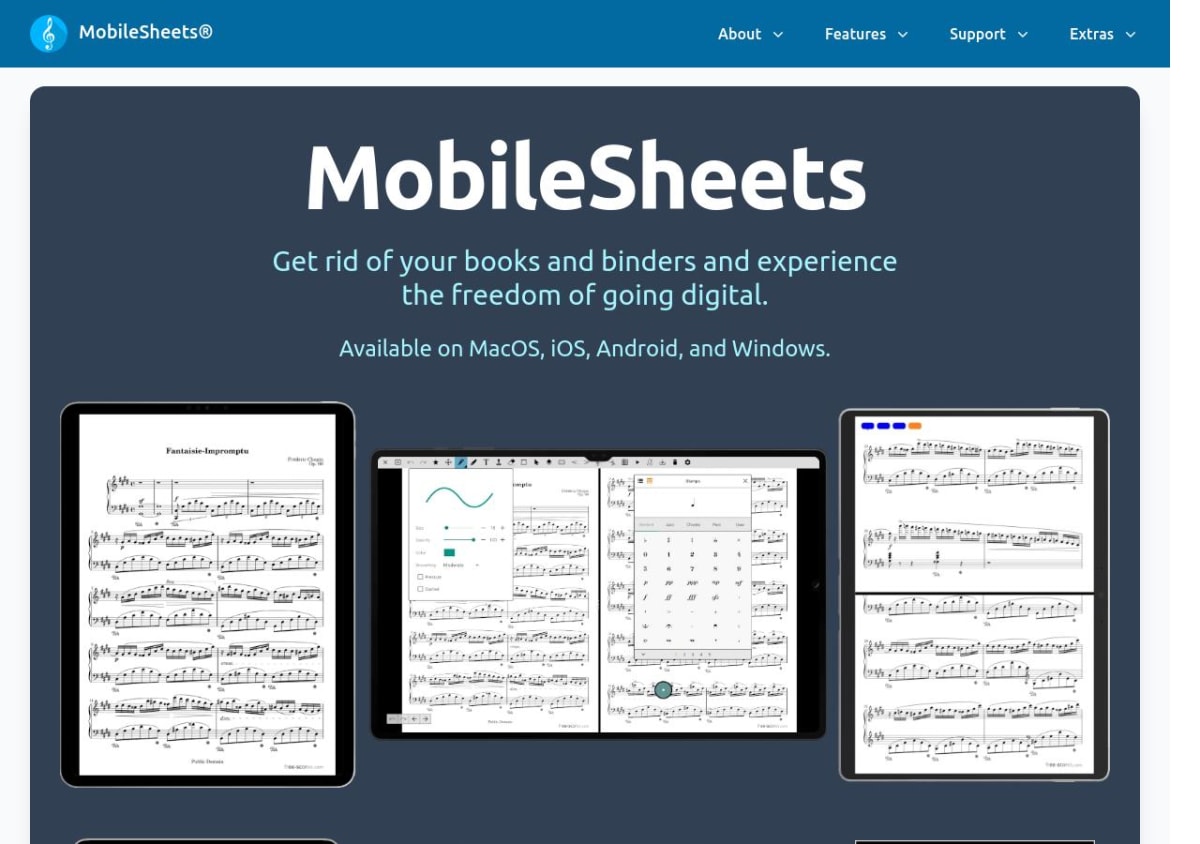
Its collaboration is practical rather than notation-centric. Multiple tablets can connect over Wi-Fi or Bluetooth, a leader device can control score selection and page turns, and libraries can be synchronized without overwriting each player's annotations. That makes it unusually sensible for a mixed-device ensemble. The tradeoff is interface density: MobileSheets exposes a great deal of configuration, and the first setup can feel more like building a workstation than opening a minimalist reader.
If the harder problem is keeping active pieces, archive pieces, and performance-ready pieces distinct, our guide to managing a music repertoire with apps compares the library layer in more depth. A good reader can hold a large collection; it does not automatically give that collection a useful maintenance rhythm.
Piascore and nkoda solve two narrower problems well
Piascore lowers the cost and setup barrier for Apple users. Its core app supports one-page, half-page, two-page, and vertical-scroll layouts; performance mode; Bluetooth and synchronized page turns; bookmarks; page jumps; annotations; tags; setlists; cloud imports; camera capture; and an integrated search path into free classical scores. A one-time Full Upgrade unlocks all music tools, unlimited camera or photo importing, output and printing, AirDrop, and the complete notation-stamp set. It is not a stripped-down PDF viewer.
The ceiling appears when the library or organization becomes demanding. Piascore's catalog tools are sufficient for a small or medium personal collection, but forScore and MobileSheets provide more depth for professional metadata, large setlists, layered workflows, and unusual performance setups. Newzik goes further when the score needs to be converted or shared. Piascore is best understood as a capable, low-risk starting point rather than the automatic end state for every musician.
nkoda solves access rather than ownership. Its public site describes a licensed subscription catalog of more than 100,000 titles from publishers, including performance and education material. That is valuable when the problem is finding a legal edition without purchasing each item separately. It is less suitable when the requirement is a permanent, portable PDF library that can move among readers for years.
IMSLP and publisher stores sit in this same access layer with different rights and economics. A reader such as Piascore can help find public-domain classical material; forScore can import purchases from supported retailers; nkoda provides access while a subscription remains active. None should be judged only by annotation features because the first question is different: do you need to find the score, or work on a score you already have?
Digital access also makes silent score work easier to carry into a commute, library, or waiting room. The concrete methods in our post on reading scores away from the piano work with paper or a screen; the app matters less there than having a precise musical question.
Practis Score is built around what happened on the page
Practis Score starts from a different center. We make it for musicians who bring their own music and want the score to remain connected to repertoire, session timing, notes, recordings, and later review. The reader supports one- or two-page layouts, zoom, paper, eye-comfort and night themes, annotation layers, bookmarks, trouble spots, a movable metronome, and annotated-PDF export.
The unusual feature is not another pen color. During score practice, Practis records the session and can map time back onto the pages and viewed areas. The heatmap below makes an imbalance visible immediately: one page absorbed the work while another was barely touched. Bookmarks and trouble spots then provide direct entry points when the score is opened again.
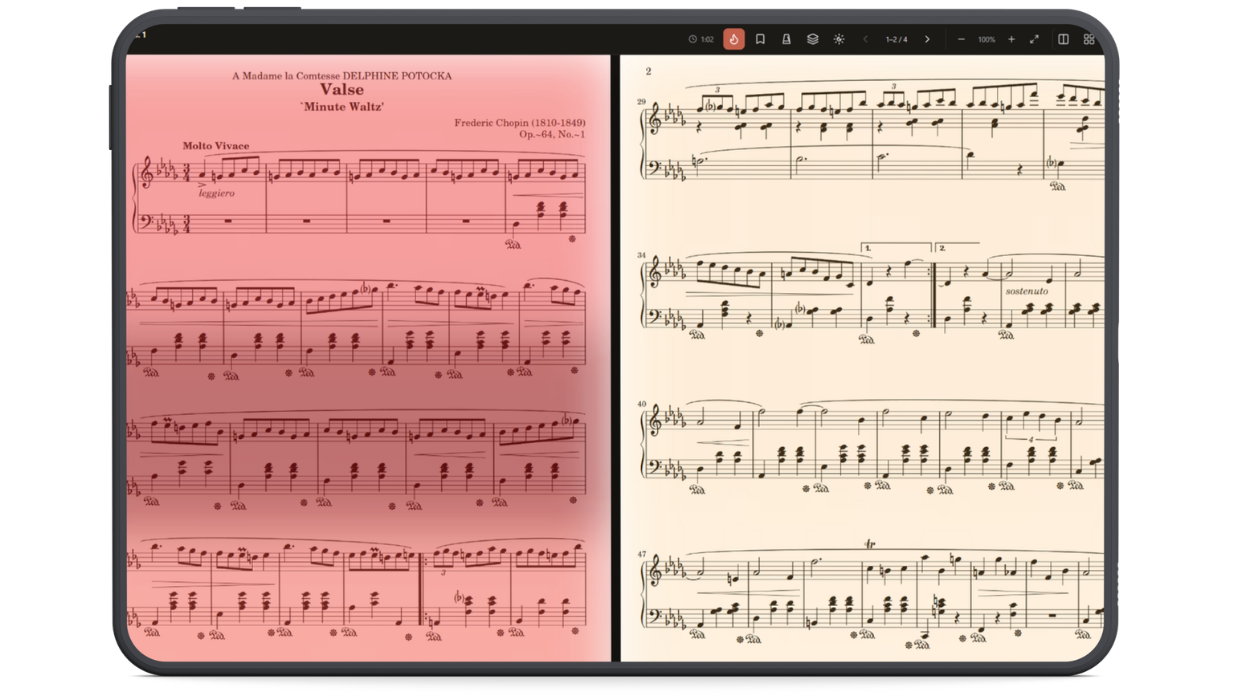
That information is useful when it changes the next session. A musician can see that the opening received most of the attention, jump to a flagged transition, read the note left after the last attempt, and start there rather than playing from bar one. It is a more specific record than “worked on Chopin for 42 minutes,” while still leaving the musical judgment to the player.
Practis Score is not the best answer for every score job. It is newer than forScore and MobileSheets, and it does not yet match their mature large-library, setlist, pedal, MIDI, and stage-management depth. It does not offer Newzik's OMR, transposition, or shared score projects, and it is not a licensed catalog like nkoda. Its advantage is the continuity around practice; if that continuity is not needed, a specialist reader is the more direct tool.
"The useful question is not how much an app can do. It is what the app hands back when you return to the music tomorrow."
Choose for the handoff, then test one real score
Start with the operating system because it can remove several choices immediately. An Android or Windows musician should begin with MobileSheets or a web-based practice workflow, not force an Apple-first recommendation to fit. An iPad-based performer with a large archive should begin with forScore. A teacher or ensemble that needs shared marks and transposition should test Newzik before comparing minor interface details.
Then test the handoff that matters most. Import one messy PDF, crop it, mark a fingering, create a repeat jump, connect the pedal, close the app, and find the passage again the next day. If practice continuity is the requirement, leave a note, flag a trouble spot, and check whether the session record tells you anything useful. A fifteen-minute test with an awkward real score reveals more than an hour spent reading feature lists.
The one-score test
- Import: use a real PDF with bad margins, repeats, and several pages.
- Work: crop, annotate, bookmark, and rehearse one awkward passage.
- Interrupt: close the app and do something else for a few hours.
- Return: find the score and the exact passage without relying on memory.
- Export: confirm that the PDF, annotations, or backup can leave the app in a usable form.
The export step deserves special attention. Original PDFs are usually portable; app-native metadata, annotation layers, setlists, practice analytics, and collaborative state often are not. Before committing hundreds of scores, export one marked file, inspect what is flattened into the PDF, and locate the full backup procedure. The cost of switching is rarely the new app's price. It is the accumulated work that cannot travel.
For many musicians, the honest answer is a pair rather than a winner: a specialist reader for performance and a practice system for continuity. That is not needless duplication if the handoff is simple and the original PDF remains portable. Pick the tool that protects the part of the workflow you cannot afford to lose, then let one real score expose the friction before the entire library moves in.