
Best Apps for Guitar Practice in 2026: Metronome, Logs, Chords, and Progress
There is no single best guitar app — there is a small stack of them. The tuner, metronome, chord/tab, lesson, and progress apps worth using in 2026, by job.
Pract.is Editorial
Research-based practice guidance for musicians from the Pract.is editorial team.

There is no single best guitar app, and any list that crowns one is answering the wrong question. A great tuner does nothing for your chord changes. A song library does nothing for your timing. What actually helps is a small stack — a handful of apps that each do one job well — plus the one most guitarists skip entirely: a way to see whether all that practice is adding up.
Here is that stack for 2026, sorted by the job each app does, with honest prices. Some of these are ours; where they are, that is noted plainly, and they have to earn their place against the best of the rest.
The four jobs of a guitar practice setup
Strip back the app-store noise and a working guitarist needs four things covered, in roughly this order. Tune — every session starts here, and an out-of-tune guitar quietly sabotages your ear. Keep time — a metronome is the difference between playing fast and playing in time. Find the notes — chords, tabs, and songs to actually play. Learn to play them — structured lessons or technique work. And then the job almost nobody assigns to an app: track progress, so you know what to practise next instead of replaying what you already do well.
The guitar practice stack
Most guitarists nail the bottom three and never build the top one — which is why practice stalls.
You do not need a separate app for every layer — some overlap — but it helps to know which job you are actually buying. Here is the shortlist at a glance.
| Job | Top picks | From |
|---|---|---|
| Tune | GuitarTuna · Stimmung | Free |
| Keep time | Takt · Soundbrenner | Free |
| Chords & tabs | Ultimate Guitar · Songsterr · Chordify | Free; Pro ~$5.99/mo |
| Learn to play | Justin Guitar · Fender Play · Yousician | Free–$9.99/mo |
| Track progress | Practis | Free; Pro $4.99/mo |
Tune it
Tuning is the cheapest skill to outsource and the most expensive to neglect — practise on a flat guitar for a month and your ear learns the wrong pitches. GuitarTuna is the default for good reason: fast, accurate, free, and it has quietly grown a library of chords, tabs, and tutorials around the tuner. It is the one almost everyone starts with, and there is little wrong with it beyond the upsells.
If you would rather a clean, no-clutter tuner that just works, Stimmung is ours — a free, accurate chromatic tuner for Android with no ad-supported dashboard wrapped around it. It tunes guitar, bass, and anything else with strings, and gets out of the way. Grab it on Google Play. For the wider tuner field, including options for other instruments, we compared the category in the best tuning apps.
Keep time
The metronome is the most-skipped tool in guitar practice and the one that most reliably exposes the truth: if a riff falls apart with a click running, you do not own it yet. Takt is our metronome — a minimalist Android app built on a native audio engine for rock-solid timing, with subdivisions, a swing feel, a tempo trainer that climbs speed in small steps, and setlists for structured sessions. No streak dashboard, no account; it does the next five minutes and gets out of the way. It is free on Google Play.
The main alternative worth knowing is Soundbrenner, whose app doubles as a controller for its wearable vibrating metronome and bundles practice tracking — useful if you want time-keeping and consistency stats in one place. We put the metronome field head-to-head in metronome apps with practice logs. Whichever you use, the trick is to widen the click — set it on beats 2 and 4 rather than every beat once you can — so you carry the time, not the app.

Find the notes: chords, tabs, and songs
This is the layer guitarists actually open every day. Ultimate Guitar is the giant — a vast community library of chords and tabs for almost any song you can name. The free tier covers the basics with ads; UG Pro (around $5.99/month or $39.99/year) adds official tabs, playback, and tools that remove the guesswork. Songsterr is the specialist for interactive tab: accurate, note-for-note tablature you can play along with and slow down, free to view with a PLUS tier (about $9.90/month) for the playback and practice tools.
Chordify solves a different problem — it listens to almost any track (including from YouTube) and generates a moving chord sheet in real time, which is the fastest way to learn a song nobody has tabbed yet. It is free to try, with premium (roughly £3–6/month) for looping, transposition, and downloads. Between these three, you can find or generate the notes for practically anything.
"A library of every song ever written still won't tell you which four bars you actually need to work on tonight."
Learn to play
If you want to be taught rather than just handed tabs, three names lead. Justin Guitar is the one to start with, full stop — a genuinely free, beautifully structured beginner-to-intermediate curriculum from Justin Sandercoe, backed by an app and a huge song catalogue. The free value is so high that it makes most paid beginner apps hard to justify. Fender Play (about $9.99/month) is the polished, song-first option for absolute beginners who want a guided path through recognizable tunes. Yousician (from about $9.99/month) gamifies the whole thing — it listens as you play and turns practice into levels and streaks, which is great for momentum and weaker for technique, a trade-off we examined in our Yousician review.
All three teach you songs and moves. None of them, by design, step back and tell you what your practice needs next week — that is a different job.
Track progress — the layer most guitarists skip
Here is the gap in nearly every guitar setup: you tune, you click, you pull up a tab, you run through a lesson — and none of it is recorded. So next session you start from feeling rather than evidence, drift to the riffs you already play well, and the hard four bars stay hard for months. The apps above are consumption; progress needs a thin layer on top that remembers what you worked on, where it broke, and what tempo you reached.
That layer is what Practis is — ours, so weigh accordingly, but it is the honest missing piece. It is not a tuner, a tab library, or a lesson app: it is a practice log and repertoire tracker that sits across whatever else you use, on the web and Android, free to start. Log a session in seconds, note that the chorus transition still drags at 90 BPM, and next time you sit down knowing exactly where to aim. For how it stacks up against other tracking tools, see our practice journal app roundup.
"The bottom of the stack is a solved problem. The reason you're not improving is almost always the top of it."
How to assemble your stack
You do not need all of these. A complete, mostly-free setup for most guitarists is four apps: a tuner (GuitarTuna or Stimmung), a metronome (Takt), one chord/tab source (Ultimate Guitar), and a progress tracker (Practis) — add a lesson app like Justin Guitar if you want structured teaching. Total cost: $0 to start, a few dollars a month if you go Pro on the one or two you live in.
Beginners should weight the top of the list — Justin Guitar plus a tuner gets you playing real songs fast. Intermediate players who feel stuck should add the part they are missing, which is almost always the metronome and the tracker, not another song library. Spend on the layer that fixes your actual bottleneck, and keep the rest free.
Common questions
What's the single best free guitar app?
For learning, Justin Guitar — the free curriculum is exceptional. For tools, a free tuner (GuitarTuna or Stimmung) plus a free metronome (Takt) covers the essentials. You can build a genuinely useful setup without paying anything.
Do I really need a metronome app for guitar?
Yes — more than most beginners expect. Timing is what separates a riff that sounds tight from one that nearly works. If a passage falls apart with a click running, that's the honest signal you haven't locked it in yet.
Ultimate Guitar or Songsterr for tabs?
Ultimate Guitar has the widest library and the best chord sheets; Songsterr has the most accurate interactive, playable tablature. Many guitarists use UG to find a song and Songsterr to actually learn the tricky parts.
Can one app do everything?
A few try, but the all-in-ones are usually average at each job. A small stack of focused apps — each excellent at one thing — beats a single jack-of-all-trades, especially for the tuner, metronome, and progress-tracking layers.
Build the stack once, then mostly forget it. The apps fade into the background and the only thing that matters is the habit they support: tune up, turn on the click, find the notes, and write down what actually changed. Do that for a month and the guitar will tell you the rest.
More on apps & tools.

Simply Guitar vs Yousician: Which Is Better for Beginners?
Simply Guitar vs Yousician for beginners: compare course depth, feedback, songs, platforms, family plans, and which one keeps teaching as skills grow.
Pract.is Editorial
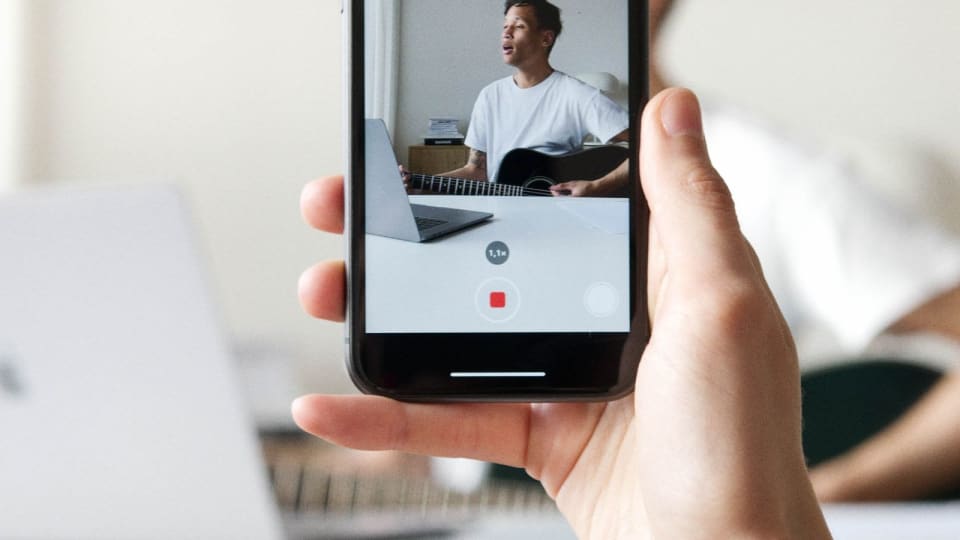
Modacity Alternatives: Practice Apps for Serious Musicians
Modacity alternatives compared for repertoire tracking, private journals, recordings, metronome-led sessions, social practice, and current pricing.
Pract.is Editorial
Noteflight Alternatives in 2026: 5 Notation Apps Compared
Noteflight alternatives compared for browser collaboration, free offline notation, classrooms, synced media, engraving, exports, and pricing.
Pract.is Editorial