
The Best iPad Sheet Music Setup in 2026: App, Pedal, Stand, Scanning
The best iPad sheet music setup pairs a 13-inch Air with Practis, a silent page-turn pedal, a secure stand, smart scanning, and stage-safe settings.
Pract.is Editorial
Research-based practice guidance for musicians from the Pract.is editorial team.

An iPad score setup fails at its weakest physical link. The best all-round build in 2026 is a 13-inch iPad Air with 128GB, Practis, an Apple Pencil (USB-C), a PageFlip Firefly pedal, and a K&M 19793 stand. Practis is our app, so the recommendation is openly interested: we think most musicians benefit more from a score connected to their practice history than from a larger file cabinet alone.
Products, compatibility, specifications, and US prices were checked against official sources on July 31, 2026. Prices vary by country and retailer.
Buy the screen size before the processor
Sheet music barely taxes a modern iPad processor. A static PDF does not need an M4 chip, a professional GPU, or 1TB of storage. The purchase is mostly about how large the notation appears, how reflective the screen is, and whether the tablet fits the place where it will be used.
The 13-inch iPad Air is the sensible new buy for most pianists, conductors, accompanists, and players reading dense chamber or orchestral parts. Apple's current specifications give it a 12.9-inch display at 2732 by 2048 pixels, 600 nits of brightness, an antireflective coating, and support for both Apple Pencil Pro and Apple Pencil (USB-C). It starts with 128GB of storage. On a full portrait page, the extra area is much more valuable than the M4 processor behind it.
The 11-inch iPad is still usable, especially for singers, wind players, commuters, and anyone working in a cramped pit. Apple's current base model starts at $449 in the US, has 128GB, reaches 500 nits, and supports the USB-C Pencil. The 13-inch Air is currently $949 in Apple's US store. That is a steep jump, but it buys a page that feels materially closer to paper size. The $1,199 13-inch iPad Pro adds a better display and more performance, but neither makes ordinary notation more legible than the screen size already does.
Do not pay for cellular or extra storage just to hold scores. A thousand generous 10MB PDFs occupy about 10GB. Buy enough storage for the rest of the tablet's life, but keep performance files downloaded locally and backed up elsewhere. A Wi-Fi model works perfectly well on stage when the library has been prepared properly.
"For sheet music, a larger page beats a faster chip."
The $79 Apple Pencil (USB-C) is the value choice for fingerings, bowings, cuts, and rehearsal notes. Pencil Pro's pressure sensitivity and squeeze controls are excellent for drawing, but score annotation rarely justifies another $50. Before ordering either, check Apple's current Pencil compatibility list, especially if buying a used iPad.
Choose the app by what must survive the session
The phrase “best sheet music app for iPad” hides three different jobs. A performer needs a library, setlists, repeat links, and dependable pedal commands. A student may need the score to remember practice time, notes, and neglected pages. A casual reader may only need to open and mark five PDFs. Our broader sheet-music app comparison covers more products; this setup guide narrows the choice to the three paths that make the most sense on an iPad.
| App | Best at | Current cost shape | Main compromise |
|---|---|---|---|
| Practis Score | Practice time, page heatmaps, notes, goals, recordings | Free to start; optional Pro | Not a replacement for a mature stage library |
| forScore | Large PDF libraries, setlists, links, pedals, performance | $24.99 once; optional Pro | Apple only; paid before use |
| Piascore | Low-cost reading, markings, setlists, pedals, camera import | Free; $5.99 Full Upgrade | Less polished for a large professional archive |
Practis Score is the best starting point for most musicians building an iPad around practice. We make it, which is why its limits are stated beside the recommendation. It attaches an owned PDF to the repertoire piece, then keeps annotations, bookmarks, trouble spots, the session timer, metronome, recordings, notes, and page heatmaps in the same working history. The current iOS app supports iPhone and iPad, syncs with the web account, and is free to start with a small active repertoire.

That practice connection is the advantage over a conventional PDF reader. A bookmark can identify a section, a trouble spot can keep an unstable passage visible, and the heatmap can show which pages absorbed attention or were quietly skipped. When the score closes, the time and session note remain attached to the piece instead of disappearing into a separate timer or notebook. The Practis demo shows the wider workflow.
forScore is the strongest alternative when performance-library depth matters more. Its current App Store price is $24.99, and the purchase covers supported iPhone, iPad, Mac, and Vision Pro devices. It imports and organizes large PDF libraries, creates mature setlists, separates annotation layers, rearranges pages, builds repeat links, connects page-turn pedals, and maps accessory commands. It now requires iPadOS 17 or later. Our direct Practis versus forScore comparison explains where that stage tooling remains ahead without treating it as the default need for every musician.
Piascore is the low-cost reader alternative. Its App Store listing is free, with a $5.99 Full Upgrade, and supports iPadOS 15.6 or later. It includes annotations, setlists, several page layouts, Bluetooth page turning, and camera capture. Choose it when the job is a straightforward Apple concert book and Practis's practice history would go unused. The guide to free sheet-music readers explains which conveniences tend to become the paid boundary.
A page-turn pedal should be boring
A pedal earns its place by disappearing under the foot. It should not slide, click audibly, pair with the wrong tablet, or leave the player wondering whether the next press will advance one page or three. Two pedals are enough for almost everyone: forward on the dominant side, backward on the other. Extra switches are useful only when the app has a real job for them, such as opening a coda link or advancing a setlist.
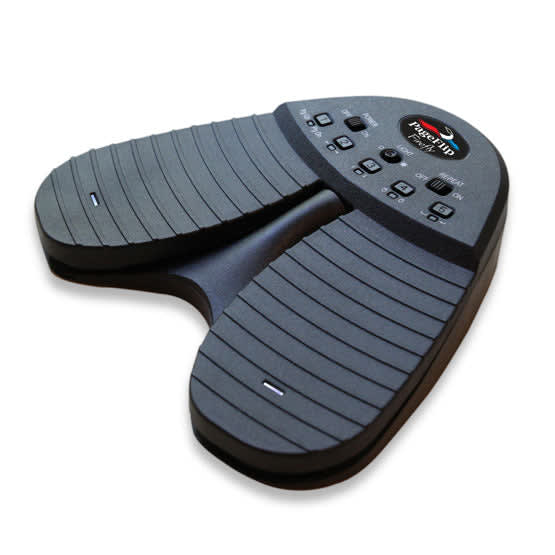
The PageFlip Firefly is the best default on published specifications. It costs $109.95, weighs 15.2 ounces, has silent illuminated pedals, offers five programmable modes, and can work over Bluetooth or a wired USB-C connection. Two AA batteries provide a claimed 200 hours of continuous use. Its weight is an advantage on a hard stage because a light pedal is easier to kick away.
The AirTurn DUO 500 costs $109, weighs 9 ounces, uses a rechargeable battery rated for more than 200 hours, and offers open or closed pairing. Closed pairing is useful when several Bluetooth devices are present and the pedal should remember one host. It is the better travel choice; the Firefly is the better choice for replaceable batteries, wired fallback, and extra heft.
| Pedal | Power | Weight | Choose it for |
|---|---|---|---|
| PageFlip Firefly | 2 AA or wired USB-C | 15.2 oz / 431 g | Stable floor feel, lights, programmable modes, wired backup |
| AirTurn DUO 500 | Rechargeable, 200+ hours | 9 oz / 250 g | Lighter travel, pairing control, external-switch flexibility |
There is one easy-to-miss Firefly behavior: it sleeps after 30 minutes of inactivity and can take up to three seconds to wake after a press. Wake and test it before the set starts and after a long interval. forScore accepts ordinary keyboard commands from most pedals and also connects directly to several Bluetooth Smart and MIDI devices, but mapping should still be checked inside the actual score app. Pairing successfully in iPad Settings does not prove the page command is correct.

The stand is the safety system
A $30 reader app can be replaced. A dropped 13-inch iPad cannot. The stand therefore deserves the same attention as the screen, especially around cables, other musicians, children, narrow stages, or instruments that require the player to move.
The K&M 19793 is the cleanest all-in-one choice. Its holder accepts tablets 222 to 334mm wide, 128 to 232mm high, and 6 to 11mm deep, which includes a bare 13-inch iPad Air. The tripod adjusts from roughly 70 to 155cm and rotates between portrait and landscape. The important catch is depth: many protective cases push an iPad beyond 11mm, so measure the assembled tablet rather than trusting the screen-size label.
If a keyboard stand, microphone stand, desk edge, or solid music stand is already in place, the Hercules DG307B is more flexible. It clamps to round or square tubes from 15 to 35mm and supports devices from 6.1 to 13 inches, with a listed 3kg load capacity. It adds 570g high on the support, however, so the stand underneath still needs enough base width and weight to resist a sideways bump.
Set the tripod legs where feet will not search for the pedal. Route a charging cable down the stand and tape it at the floor rather than letting it hang sideways. If the holder covers a volume button or the Pencil charging edge, fix that before rehearsal, not while the audience is entering.
Scanning a PDF is not the same as reading the music
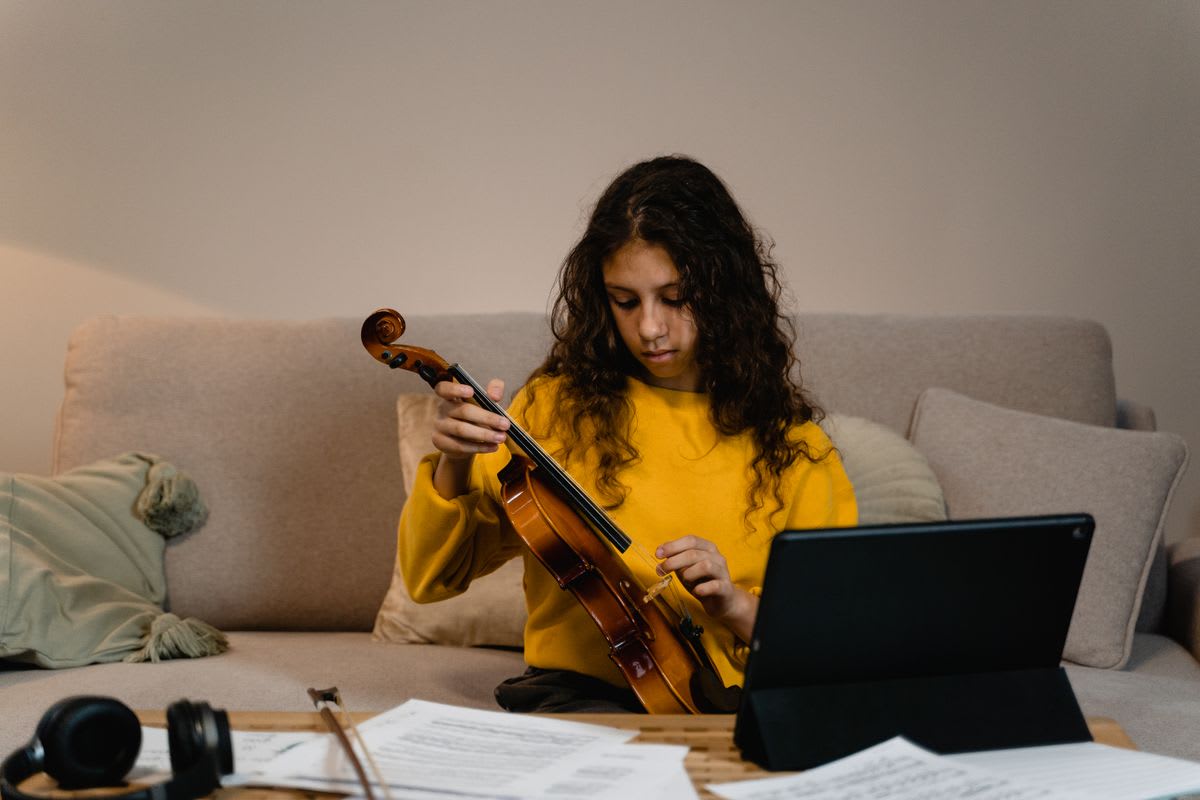
“Scanning” can mean two completely different things. A document scan photographs each paper page, straightens it, and saves the result as a PDF image. Optical music recognition, or OMR, tries to understand the notes and convert them into playable or editable musical data. The first is quick and dependable for display. The second is much more ambitious and always needs checking.
"If the goal is reading, make a clean PDF. If the goal is playback or editing, use OMR and expect corrections."
For a free PDF, Apple's Files app is enough. The current document-scanning instructions let an iPad detect the page, capture multiple pages, adjust corners, apply a filter, and save directly to Files. Use even light, keep the page flat, fill the camera frame, and inspect small ledger lines before scanning the next twenty pages.
Save the clean scan to Files, inspect it at reading size, then import that PDF into Practis and attach it to the repertoire piece. Keeping capture separate from the reader leaves a usable master file if the page needs to be rescanned later. If forScore is already the chosen stage library, its built-in Scan tool offers the same camera-to-PDF convenience inside that alternative. For faint editions, tightly bound volumes, and scores where a phone shadow can erase a staff line, use a flatbed scanner instead.
PlayScore 2 belongs in a different category. It can recognize notation from photos or PDFs, follow the score during playback, isolate staves, and export MIDI or MusicXML on its paid tiers. The current US App Store lists Productivity at $5.99 monthly or $34.99 yearly, and Professional at $6.99 monthly or $59.99 yearly. Use it when hearing a part or moving notation into MuseScore, Dorico, or Sibelius is the point. Do not trust an OMR export until pitches, rhythms, ties, tuplets, voices, repeats, articulations, and transpositions have been checked against the page.
Keep the original scan as a master, then crop or compress a copy for performance. That makes it possible to redo a bad page without scanning the whole volume again. Only digitize and share material you have the right to copy; a convenient export button does not grant distribution permission.
Set up the iPad for rehearsal, not for everyday use
A reliable rig is configured with the same score, orientation, pedal, brightness, and stand position that will be used in performance. Do not make the concert the first full-length test. Run the complete set once while watching for accidental double turns, unreadable pencil colors, slow files, dim pages, and a pedal that drifts away from the foot.
Apple's current Focus controls can turn on when the reader app opens. Guided Access can temporarily hold the iPad inside one app and disable selected hardware buttons, touch areas, motion, or software keyboards. Test Guided Access before relying on it, because an unfamiliar exit gesture is its own kind of stage problem.
Brightness should be high enough to read without washing the player's face in a dark room. Disable automatic changes if the screen keeps shifting during rehearsal, but remember that sustained brightness uses battery. Start a performance with a full charge, keep the cable available, and avoid running the iPad from a power bank placed where it can pull on the stand.
Three complete builds that make sense
The best setup is not always the one with the longest receipt. Buy only the layer that is currently causing friction.
If a current iPad already displays the music comfortably, start with Practis and one secure place to put it. If page turns break the line, add the pedal. Upgrade the screen only when the notation itself is too small. Move to a specialist reader only when its stage features solve a problem you actually have. A good digital stand is built in that order: connect the score to the work, solve the visible hardware problem, test the whole chain, then stop buying parts.
More on apps & tools.

Simply Guitar vs Yousician: Which Is Better for Beginners?
Simply Guitar vs Yousician for beginners: compare course depth, feedback, songs, platforms, family plans, and which one keeps teaching as skills grow.
Pract.is Editorial
Modacity Alternatives: Practice Apps for Serious Musicians
Modacity alternatives compared for repertoire tracking, private journals, recordings, metronome-led sessions, social practice, and current pricing.
Pract.is Editorial
Noteflight Alternatives in 2026: 5 Notation Apps Compared
Noteflight alternatives compared for browser collaboration, free offline notation, classrooms, synced media, engraving, exports, and pricing.
Pract.is Editorial