A free metronome app is good only if it stays free at the moment you actually need it. The problem is not finding an app that clicks. The problem is finding one that does not bury basic practice behind ads, account prompts, subscription nudges, confusing upgrades, or a feature set that slows the session down.
This guide is different from our platform-specific lists for Android metronome apps and iPhone metronome apps. Here the main question is cost and friction. The best free option for a beginner, a drummer, a teacher, a classical player, and someone who only needs a browser tab may be different.
Checked May 17, 2026: free tiers, store listings, and official feature pages can change. Confirm pricing, ads, data collection, and in-app purchases before relying on any app for lessons, gigs, or daily practice.
Free does not mean the same thing in every metronome app
Metronome apps use the word free in several different ways. Some are genuinely free for the core metronome and charge only for cosmetics or extra conveniences. Some are freemium: the basic click is free, but subdivisions, setlists, advanced rhythms, practice tracking, or visual modes require an upgrade. Some are free because they show ads, ask for an account, or push a broader practice ecosystem. Some are not apps at all; they are browser metronomes that are perfect for quick practice but weaker when you need offline use or background audio.
That distinction matters because a metronome is usually opened under pressure. You are in a lesson. You are halfway through warmups. You are trying to check a tempo before rehearsal. A free app that asks you to dismiss three screens before starting the click is not really free in practice time. A clean app with fewer features can be more useful than a powerful app that keeps interrupting the session.
The right test is not "does it cost zero dollars to download?" The better test is "can I do my actual practice task without paying, signing in, or fighting the interface?" For most musicians, the free task list is simple: set BPM, choose time signature, accent beat one, adjust subdivision, run in the background, save a few common tempos, and maybe use tap tempo. Anything beyond that is useful, but not essential.
Free metronome filter
1. Can it click immediately?
No login, no full-screen ad, no unclear setup.
2. Are basic controls free?
Tempo, meter, accents, subdivisions, volume, and tap tempo.
3. Does it survive real practice?
Background use, screen lock, Bluetooth, saved tempos, and quick changes.
4. Keep it only if practice gets simpler
A free app that adds friction is still a bad tool.
The best free metronome apps at a glance
The shortlist below separates fully useful free options from freemium apps with strong free tiers. It also includes browser tools because they solve a real problem: sometimes you do not want to install anything. The tradeoff is that browser metronomes usually lose to native apps for background behavior, offline reliability, watch support, saved setlists, and serious rhythm training.
| App or tool | Best free use | Free model | Main caution |
|---|---|---|---|
| Takt | Free Android practice metronome with setlists and timing tools | Free Android app from Practis | Android-only and newer than the biggest incumbents |
| True Metronome | Clean simple click across phone, desktop, and browser | Free core app, optional one-time upgrade | Not the deepest advanced rhythm trainer |
| Metronome Beats | Familiar free app with speed trainer and drum-machine extras | Free with ads and in-app purchases | Less minimal than no-ad options |
| Soundbrenner | Free metronome plus setlists, tuner, tracker, and ecosystem | Free app with subscription/account direction | Can feel heavier than a simple metronome |
| Pro Metronome | Feature-heavy free tier for daily practice | Free basic app, Pro upgrade for advanced tools | Important training features may be paid |
| Tack | Ad-free Android metronome with clean design | Free app, paid extra key available | Android-only |
| BackBeat | Free iPhone rhythm sequencer for tempo changes and routines | Free with cosmetic/theme purchase path | Requires recent iOS and has a smaller review base |
| Soundbrenner or Musicca web metronome | No-install practice in a browser | Free online tool | Browser audio and background behavior vary |
Free-tier friction score
Lowest friction: Takt, True Metronome, Tack, BackBeat
Moderate friction: Metronome Beats, Pro Metronome
Most ecosystem: Soundbrenner
Takt, True Metronome, Tack, and BackBeat are the cleanest free picks
Takt should be included here, with a clear disclosure: it is ours. It is a free Android metronome built for practice rather than general audio utility. The reason it belongs in this list is that many free metronome apps give the player a click but little help turning that click into better timing. Takt is aimed at everyday practice tasks such as tempo work, subdivisions, setlists, and timing-focused training without turning the session into an ad-supported dashboard.
The best use case is an Android musician who wants a cleaner practice metronome tied to actual improvement, not only a generic pulse. It is newer than Metronome Beats or Soundbrenner, so it does not have the same public review history. That tradeoff should be stated plainly. If the reader wants the largest incumbent, choose Metronome Beats or Soundbrenner. If the reader wants an Android-first practice metronome from the Practis ecosystem, Takt should be on the shortlist.
True Metronome is the best first recommendation for musicians who want a simple free metronome without turning practice into app management. Its official page describes a free app for iPhone, iPad, Mac, Android, and browser use, with 20-400 BPM, tap tempo, Italian tempo markings, a realistic pendulum interface, natural mechanical-style sound, 1-13 beats per bar, 16 languages, and no banner ads or video ads in the teacher-focused explanation. The optional premium upgrade adds conveniences such as subdivisions, tempo trainer, beat detection, Apple Watch control, custom skins, and unlimited presets.
That is a sensible free model. The core click is not treated like bait. Beginners can use it immediately, teachers can recommend it without explaining a complex setup, and advanced players can decide later whether the extra features matter. True Metronome is not the most powerful rhythm lab in this article, but it is one of the easiest free apps to trust for daily practice.
Tack is the cleanest Android-only pick. The Google Play listing shows a 4.9 rating, more than 1,300 reviews, and 100K+ downloads. It emphasizes beat visualization, changeable accents and subdivisions, a song library, count-in, duration, incremental tempo changes, muted beats, swing, polyrhythm, screen flash, volume control, latency correction, large-screen support, Wear OS support, and no ads or analytics. Patrick Zedler's official page also describes it as a simple Android metronome with beat emphasis, vibration, BPM bookmarks, app shortcuts, dark mode, and a tiny download size.
BackBeat Rhythm Metronome is the most interesting free iPhone specialist. The App Store listing describes it as free with in-app purchases and built around a sequence builder: chaining rhythms, tempos, time signatures, tempo changes, smooth ramps, automatic speed builders, custom patterns, and visual grid editing. Its version notes say all features became free in early 2026, with premium themes as the purchase path. The warning is that it is newer, needs recent iOS, and has a smaller public review base than older incumbents. Still, if the free feature set remains available, BackBeat is unusually strong for players who practice tempo ramps, complex grooves, or full routine sequences.
Owned app disclosure
Takt
Good when Android practice needs a free metronome with setlists, tempo work, and timing-focused training.
Best simple free pick
True Metronome
Good when you want a clean click across phone, desktop, and browser with minimal setup.
Best Android no-ad pick
Tack
Good when you want an Android-native metronome with no ads, no analytics, and strong visual design.
Best free sequencer
BackBeat
Good when you need tempo ramps, rhythm changes, custom patterns, and complete practice routines.
Metronome Beats and Soundbrenner are the safest broad free choices
Metronome Beats is the broad free default, especially on Android. Its Google Play listing shows a 4.8 rating, 177K reviews, and more than 10 million downloads. Stonekick describes it as a free interactive metronome, speed trainer, and drum machine designed by musicians, with easy tempo changes, visual beat indicators, custom sound settings, pitch-adjustable click sounds, timer functions, and background use with other apps. The official web page also presents it as an interactive metronome and speed trainer with a web app.
This is the free app to recommend when the reader wants popularity, familiarity, and enough features for ordinary practice. It is especially useful for guitarists and drummers who want speed trainer behavior or drum-machine options without buying a specialist app first. The downside is not fatal, but it is real: the Android listing includes ads and in-app purchases. If the player is easily distracted, teaching younger students, or trying to keep the practice screen calm, a no-ad option may be better.
Soundbrenner is the strongest free ecosystem app. Its App Store listing and official pages describe a metronome with time signatures, subdivisions, accents, 20+ sounds, themes, setlists, USB MIDI, Bluetooth MIDI, Ableton Link, a practice tracker, goals, streaks, widgets, reminders, a tuner, and wearable integration. Soundbrenner also offers a separate free online metronome with tap tempo, adjustable BPM, time signatures, subdivisions, and accents.
The strength of Soundbrenner is that it can grow with a musician. A beginner may use the free click, then later use setlists, tuner tools, goals, widgets, or wearable hardware. The weakness is the same thing: it is a full product ecosystem, not a tiny utility. If the reader only needs a neutral click for 15 minutes a day, Soundbrenner may feel like too much app. If they want tracking and setlists, it is one of the best free starting points.

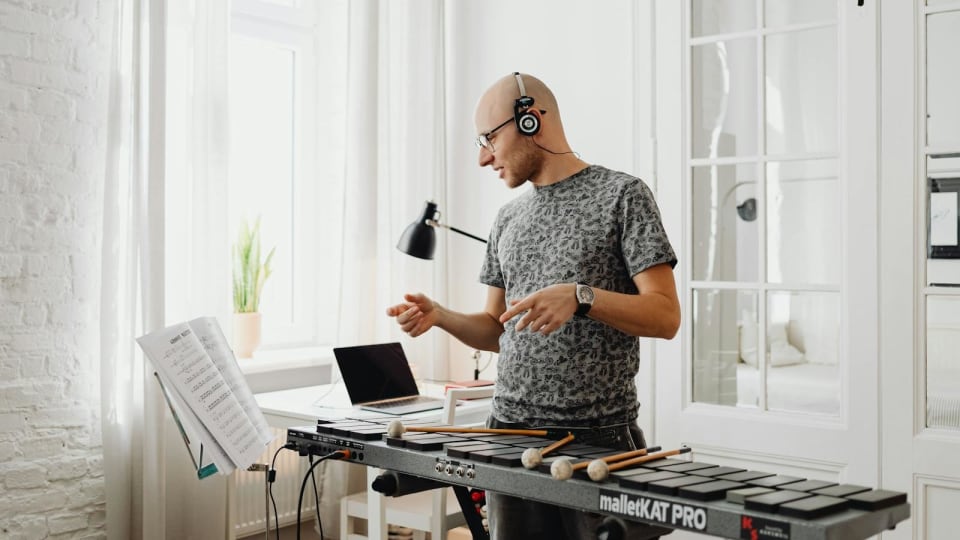
Photo: Alena Darmel via Pexels
Pro Metronome is free enough for basics, but advanced users may hit the upgrade wall
Pro Metronome sits in the middle of this guide. Its free tier is not weak. The Google Play listing describes time-signature customization, 13 time-keeping styles, counting voice, Real-Time Playback technology, accents, four beat volume levels, background play, and a basic app experience that is useful before upgrading. The official site positions it as a professional metronome with downloads for App Store and Google Play.
The catch is that many of the features serious musicians want are tied to Pro. The Play listing names subdivisions, polyrhythm settings, triplets, dotted notes, non-standard time signatures, visual, flash, and vibrate modes as upgrade-related areas. That does not make Pro Metronome a bad free app. It means the free version is best treated as a capable trial and daily-practice click, not as a guarantee that advanced rhythm training will stay free.
For many players, that is fine. A beginner practicing scales at 72 BPM does not need every polyrhythm control. A singer checking tempo before a rehearsal may not care about visual flash. But a drummer, pit musician, or classical player working odd meters may hit the paid boundary quickly. If that is the expected use, compare Pro Metronome against BackBeat, Tack, and Soundbrenner before committing.
Free tier is enough if...
You need BPM, meter, accents, click sounds, counting voice, and ordinary daily practice.
Upgrade pressure rises if...
You need subdivisions, polyrhythms, visual modes, flash, vibrate, and complex patterns.
Browser metronomes are perfect for quick practice, not permanent setups
Free web metronomes deserve a place in this list because they solve a common practice problem: you need a click now and do not want to install anything. Soundbrenner's online metronome offers tap tempo, BPM control, time signatures, subdivisions, and accents. Musicca also provides free music tools, including a metronome, tuner, note exercises, rhythm exercises, and school-friendly learning resources. These tools are useful on shared computers, school devices, borrowed laptops, and quick desk practice sessions.
The limit is reliability under real musician conditions. Browser audio can behave differently across devices, tabs, sleep settings, Bluetooth output, and mobile browsers. A web metronome may also stop being convenient once you need saved tempos, offline use, lock-screen behavior, watch control, or practice routines. It is a great temporary tool. It is usually not the best long-term tool for someone practicing every day.
The practical recommendation is simple: use a web metronome when setup speed matters more than persistence. Use a native app when the metronome becomes part of your regular practice system. If you are using the click to build internal pulse rather than just follow time, also read when to use a metronome and when it holds you back, because constant clicking is not always the smartest form of rhythm training.
Use a browser metronome for...
Quick tempo checks, classroom devices, shared laptops, and no-install practice.
Use a native app for...
Daily practice, saved pieces, lock-screen use, offline reliability, and background audio.
Which free metronome should you install first?
If you are on Android and want a free practice-focused metronome from the Practis ecosystem, start with Takt. If you want the safest simple cross-platform choice, start with True Metronome. If you are on Android and want no ads or analytics, start with Tack. If you are on iPhone and want advanced routines without paying first, try BackBeat. If you want the most familiar broad free option, use Metronome Beats. If you want setlists, tracking, tuner tools, and a bigger ecosystem, use Soundbrenner. If you want to test a professional feature set before paying, try Pro Metronome.
Then test the app with real practice, not just the settings screen. Change tempo without stopping. Try it with your screen dimmed. Use Bluetooth if that is how you practice. Add accents and subdivisions. Save two tempos. Run a short passage with the click, then mute or remove the click and see if the time stays stable. For the practice method behind that last step, use metronome practice that does not make you robotic. The best free metronome app is the one that helps you hear time more clearly while asking for the least attention.