

The closest Soundslice alternative depends on which part of Soundslice matters. Flat covers the broadest mix of browser notation, recording sync, scanning, and collaboration; CueNote specializes in synced sharing and embeds; Noteflight handles classroom writing; and Guitar Pro is stronger for tab-heavy desktop work. Tomplay or Songsterr supply music that is ready to play, while transcription and long-term practice records lead to other tools.
Practis Score is ours, and it belongs in this comparison for a narrower reason: it keeps owned PDFs, annotations, recordings, and practice history together. It does not edit notation or synchronize a recording bar by bar. No current alternative reproduces the whole Soundslice system.
Replacing Soundslice means separating five jobs
Soundslice combines several products in one browser tab. Its editor creates standard notation and tablature, while MusicXML and Guitar Pro imports bring in existing work. A score can be aligned with YouTube on the free plan, or with uploaded audio and video on Plus. Looping, tempo control, parts, notes, and practice history sit on top of that synchronized material. Teacher plans add private courses, comments, student performances, and controlled sharing. Licensing plans extend the same player to websites and organizations.
The published Soundslice plans showed Free at $0, Plus at $5 monthly or $50 yearly, and Teacher at $20 monthly or $200 yearly when checked on August 28, 2026. Free included unlimited slices, YouTube synchronization, MusicXML and Guitar Pro imports, and two scanned PDF or photo pages each month. Plus added uploaded media, printing and export, secret links, and up to 100 scanned pages monthly. These prices and allowances can change.
Most alternatives cover one or two adjacent layers well.
A guitarist aligning tabs with a studio track, a teacher assigning composition, and a pianist opening licensed accompaniments are solving different problems. They need different shortlists.
Soundslice alternatives compared by the work they keep
The table focuses on what transfers into each product and how recorded media relates to the score. Prices are the standard or currently displayed US web prices unless a different currency is shown, checked August 28, 2026. App-store, education, regional, and promotional prices may differ.
| Tool | Material it accepts | Recorded-media relationship | Useful when... | Price checked |
|---|---|---|---|---|
| Practis Score | Owned PDFs | Recordings and history live with the piece; no bar sync | The score already exists and practice continuity matters | Free; Pro $39.99/year |
| CueNote | MusicXML plus audio, video, or YouTube | Manual barline synchronization | Synced private links and website players are central | Share €13/month |
| Guitar Pro 8 | Tab, notation, MusicXML, MIDI, MP3, WAV | Local track with manual sync points | Guitar or bass authoring happens on desktop | $69.95 once |
| Noteflight | Notation, MusicXML, MIDI, recordings | Manual mapping to YouTube or SoundCloud | Browser composition and classes share one space | Free; Premium $49/year |
| Flat | Notation, MusicXML, MIDI, PDF or photo scan | Manual sync points for uploaded or linked media | Notation, media, and live coediting need one browser | Free; Power $49/year |
| MuseScore Studio | Notation, MusicXML, MIDI | Score playback; no recorded-track sync | Free desktop notation is the priority | Free, open source |
| Tomplay | Its licensed score catalogue | Prepared backing tracks follow the score | Repertoire should arrive ready to rehearse | $126 first-year web offer |
| Songsterr | Catalogue tabs, blank tabs, and browser editing | Original recordings on Plus | Guitar, bass, or drum tab is the whole project | Plus $9.90/month |
| Transcribe! | Local audio and video | Waveform markers, loops, pitch, and tempo | The task is learning by ear | $39 once |
| PlayScore 2 | Photos, images, and PDFs | Recognized notation becomes playback | Printed music must become audible or editable | Professional $59.99/year |
When the score and recording need to stay together
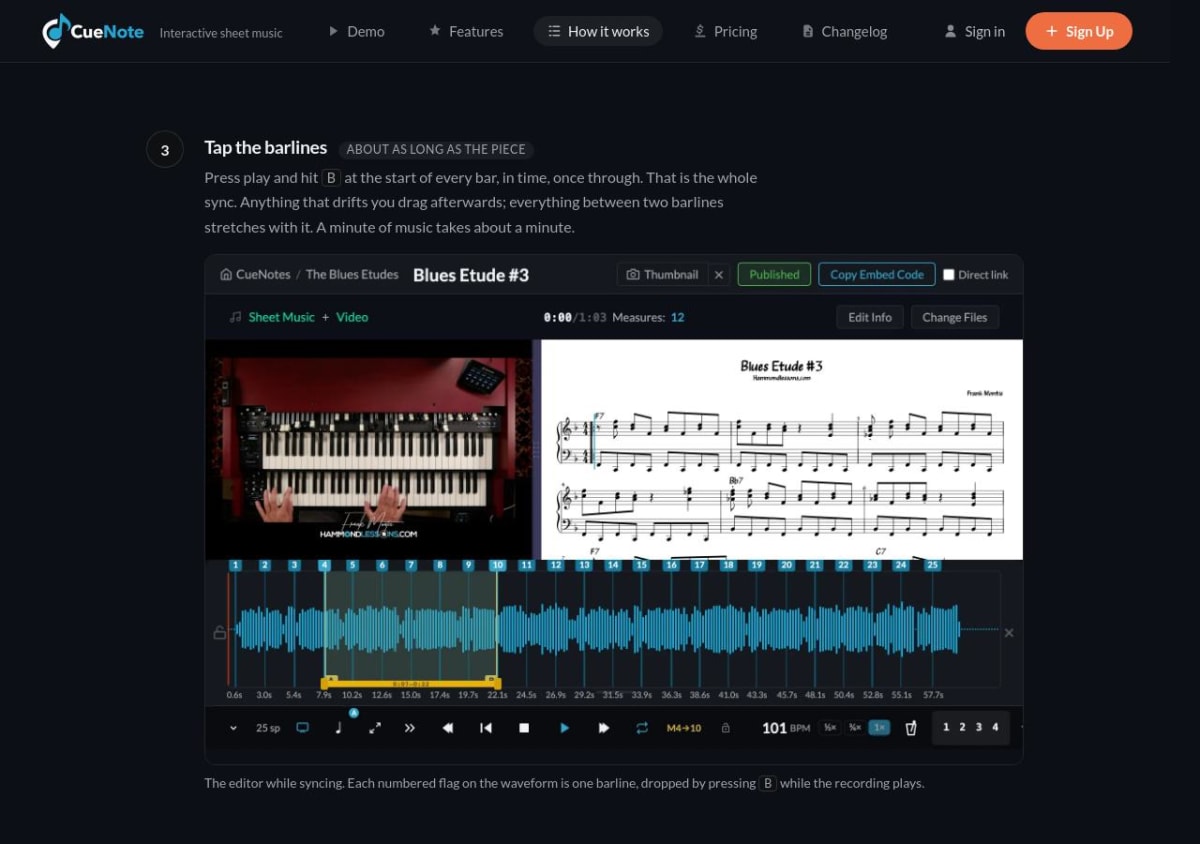
CueNote specializes in this job. It imports MusicXML, accepts audio or video files and YouTube links, and builds synchronization by having the author tap barlines while the recording plays. The result can be shared through a link, protected with a password, or embedded in a website. Students can open shared material without accounts. Loops, tempo changes, a count-in, keyboard visualization, synthetic playback, and illuminated notes make the finished page useful for rehearsal as well as presentation.
CueNote omits a notation editor, and its synchronization process still needs a prepared MusicXML file and a human pass through the recording. The current feature list also omits guitar tab and transposing instruments. The Share plan cost €13 per month or €140 per year; the Website plan was €25 per month or €280 per year. The service first launched in February 2026, so it has less public operating history than the established products here. Before moving more material, test one representative score and open its private link on the phones, tablets, and browsers students actually use.
Flat brings the synchronized recording into a full browser notation editor. Its current recording workflow accepts uploaded MP3 files or public YouTube, Vimeo, and SoundCloud links. The author sets the start and end, then adds measure numbers and timestamps where the interpretation drifts from a linear tempo. Multiple recordings can sit on one score, and the selected recording works in Flat's public viewer and web embed.
Free Basic accounts include real-time collaboration and up to 15 scores. Power was listed at $49 yearly and adds unlimited scores, fuller import and export, comments, and version history. Flat can also convert a PDF or photo into an editable score; clean, conventionally engraved pages give the recognition system the clearest input. These combined features make Flat the broadest direct substitute here. Flat for Education is separate, and private media links from YouTube, Vimeo, or SoundCloud are not accepted by the recording tool.
Guitar Pro 8 takes the same basic idea into a local desktop editor. An MP3 or WAV recording can be attached to a tab or score, synchronization points keep the measures aligned, and the track can follow relative tempo changes. Standard notation, tablature, rhythmic notation, looping, a tempo trainer, mixer, and metronome are integrated with the authoring tools. Import and export support includes MusicXML and MIDI alongside Guitar Pro formats.
The $69.95 one-time license covers Windows and macOS, with a seven-day trial. It is a convincing route for guitar, bass, and other tab-centered arranging, particularly when files need to remain local. Browser sharing, live coediting, private courses, and student submissions are outside its remit. Access to the separate mySongBook catalogue requires another purchase.
Writing and teaching point toward different editors
Among these options, Noteflight covers the widest range of browser-based writing and classroom work. Its free Basic account allows up to ten scores. Premium costs $7.95 monthly or $49 yearly and adds unlimited scores, broader playback, sharing, recording, export, and media tools. MusicXML and MIDI move scores in and out, while Premium and Learn users can manually map measures to YouTube or SoundCloud. There is no equivalent to Soundslice's photo and PDF recognition.
For schools, Noteflight Learn starts at $69 yearly for ten users. It provides a private site for assignments, groups, recordings, and LMS connections. SoundCheck performance assessment is available as a separately priced add-on. A composition teacher may care more about seeing how a score changes than about aligning it with a commercial recording. Noteflight is much closer to that classroom need than CueNote, while CueNote provides the cleaner route to a public or privately linked synchronized player.
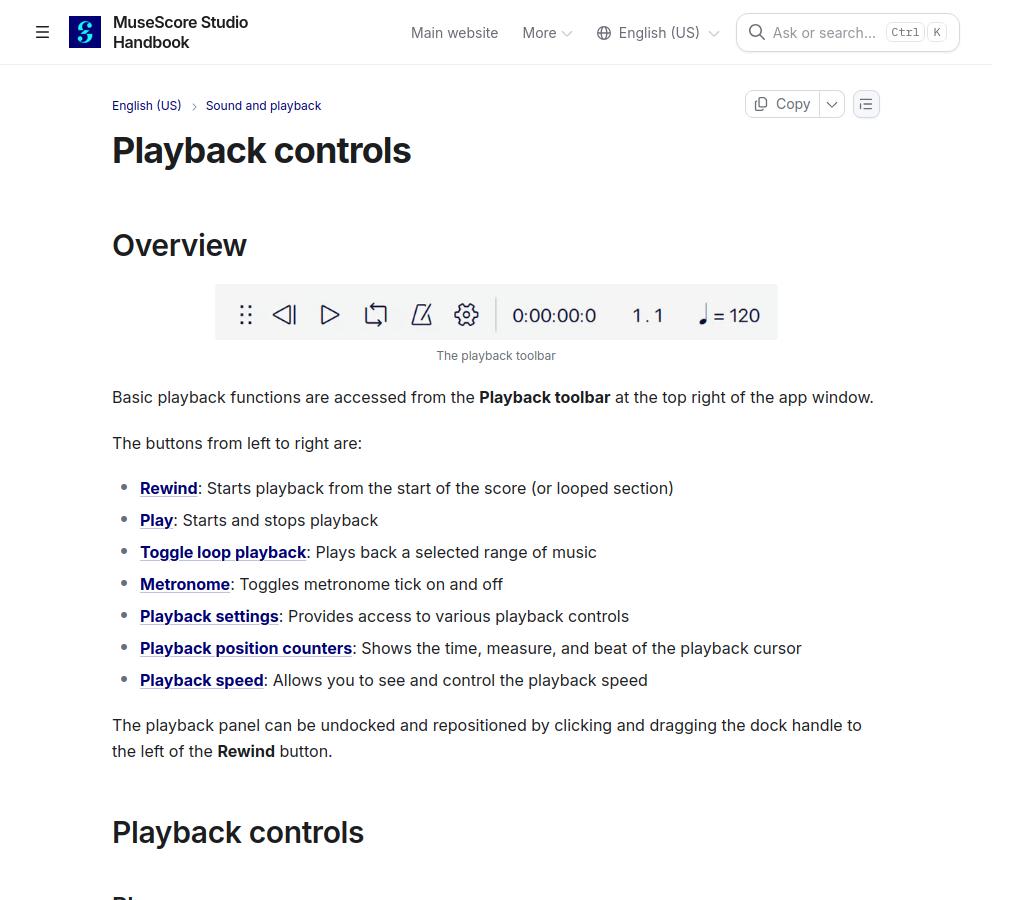
MuseScore Studio is a free, open-source desktop editor for Windows, macOS, and Linux. Version 4.7.4 was current when checked. It opens MusicXML and MIDI and exports scores as PDF, MusicXML, MIDI, audio, and images. Playback includes loops, tempo control, metronome, scrolling position, and mixer functions. It does not synchronize recorded tracks or provide live browser coediting or teacher courses. Its Import PDF route uses a separate MuseScore.com conversion service rather than native Studio recognition.
These editors deal in notation data rather than fixed pages. Musicians whose libraries are already PDF-based have a different set of priorities, including annotations, page turns, setlists, and file ownership. Our comparison of forScore, Newzik, and Piascore covers that reader-app category in more detail.
Ready-made repertoire changes the comparison
Tomplay supplies licensed interactive scores with professional accompaniment already attached. The notation scrolls with the recording, and the player includes looping, tempo control without pitch shift, metronome, annotations, recording, part muting, and a Wait Mode that advances after the expected note. This works well when the desired piece exists in Tomplay's catalogue and the musician wants to rehearse immediately.
It does not accept a personal MusicXML file, PDF, or recording as a new interactive project. Tomplay's website displayed a $126 first-year annual offer with a higher renewal price when checked, while the US App Store listed $19.99 monthly or $119.99 yearly. Checkout channel and promotion therefore matter. The annual trial requires payment details, and some scores and functions require the installed app rather than browser access.
For guitar, bass, and drums, Songsterr is built around a catalogue of community-contributed tabs. Free playback covers the library. The $9.90-per-month web Plus plan adds uninterrupted original-recording synchronization, speed control, looping, solo and mute, pitch shifting for synthetic playback, printing, and downloads in formats that include Guitar Pro and MIDI. Its tabs may contain errors or incomplete parts, as Songsterr's own help material acknowledges.
Songsterr now also supports blank-tab authoring, web editing, and AI-generated drafts from a YouTube link or uploaded audio. Those tools extend it beyond catalogue playback, though its working vocabulary remains guitar, bass, and drums. It has no general classroom or private-course layer. Standard-notation score view is available on the web, while the mobile apps remain centered on tab.
Sound, paper, and practice history need separate tools
The source may be a recording that has to be heard accurately, a printed part that has to be scanned, or an existing PDF that needs to accumulate useful practice information.
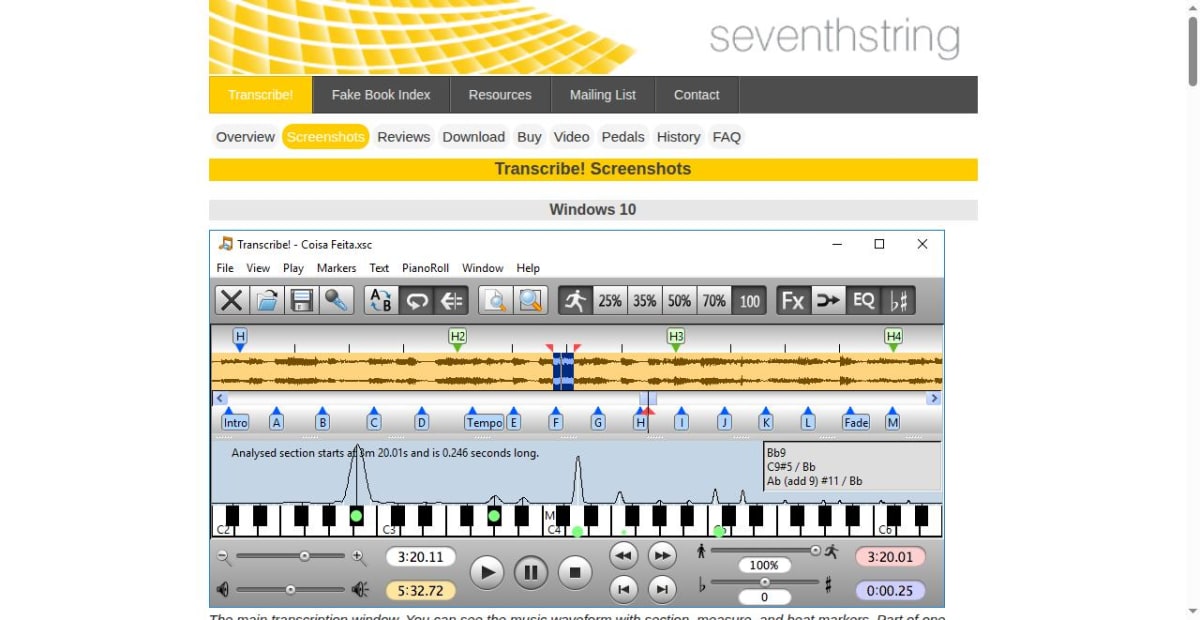
Transcribe! works directly from local audio and video on Windows, macOS, and Linux. Its waveform, named markers, loops, slowdown, pitch adjustment, EQ, spectrum view, and note or chord guesses support careful listening. The software costs $39 once after a 30-day evaluation. It deliberately stops short of producing notation or MIDI. A musician can mark the form and isolate two beats repeatedly, then write the result somewhere else.
PlayScore 2 recognizes notation in a photograph, image, or PDF and turns it into scrolling playback with tempo, loop, metronome, count-in, and part controls. The free version handles a single photographed page. In the US App Store, Productivity cost $5.99 monthly or $34.99 yearly for multipage camera and image documents plus MIDI export; Professional cost $6.99 monthly or $59.99 yearly and added PDF input and MusicXML export.
Optical music recognition should be checked against the page before its MusicXML reaches an editor, especially with faint scans, dense engraving, handwritten marks, or unusual notation. Course building and full notation editing remain separate jobs. Our post on sheet-music scanner apps follows the scan-to-edit route beyond this comparison.
Practis Score, the product we build, begins after the usable PDF exists. The free plan keeps five active pieces and includes the practice diary, history, goals, streaks, audio recordings, session notes, bookmarks, and trouble spots. Pro costs $39.99 yearly or $4.99 monthly after the first month and adds PDF-library synchronization across devices, video recordings, heatmaps, and higher storage limits. This is useful when leaving Soundslice because the missing piece is a durable practice record around owned scores. Notation editing, scanning, bar-level media alignment, embeds, and teacher courses remain outside Practis Score.
The distinction between a reader and a practice system is unpacked in our forScore and Practis Score comparison. Musicians who already have a collection of learning apps may also find that a smaller supporting stack works better as repertoire gets harder; our post on practice tools for intermediate players covers that transition.
Move one complete project before moving the library
Soundslice remains the simpler option when a single project needs browser notation, uploaded-recording sync, private student delivery, and website embedding. Replacing that combination can mean paying for more than one specialist tool and rebuilding links or sync points.
A Soundslice account can contain notation, media, synchronization work, links, comments, and teaching records. Those layers travel separately rather than inside one export. A small but awkward project is a better migration test than the cleanest score in the library.


